Home Dashboard & Match History
The home screen greets you with a signature orange splash animation that wipes from "quick" to "qkscore". On subsequent visits, the animation is skipped and your match controls appear immediately.
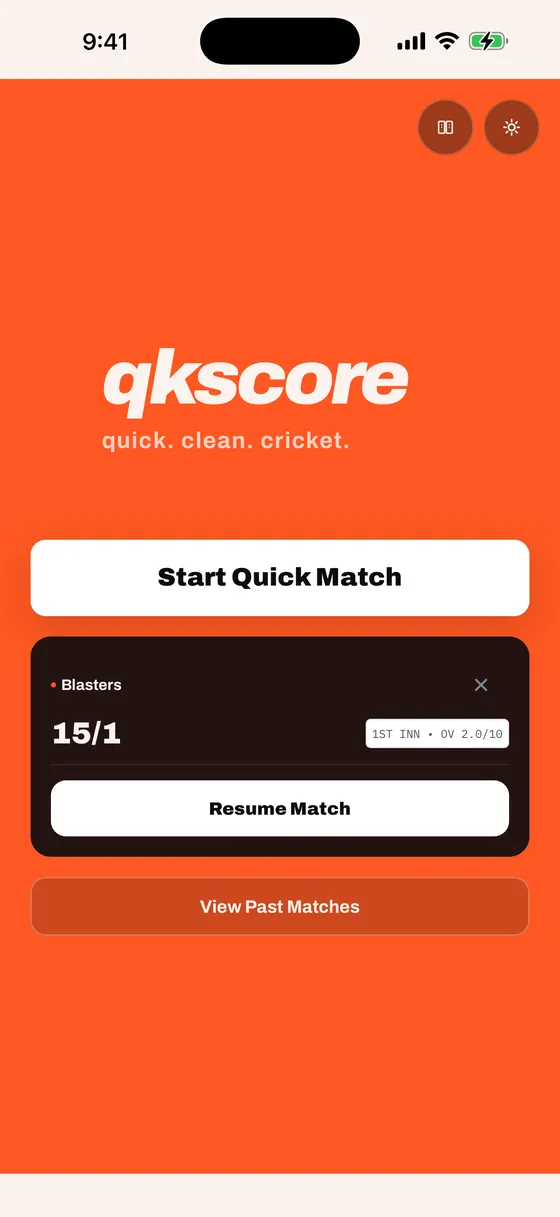
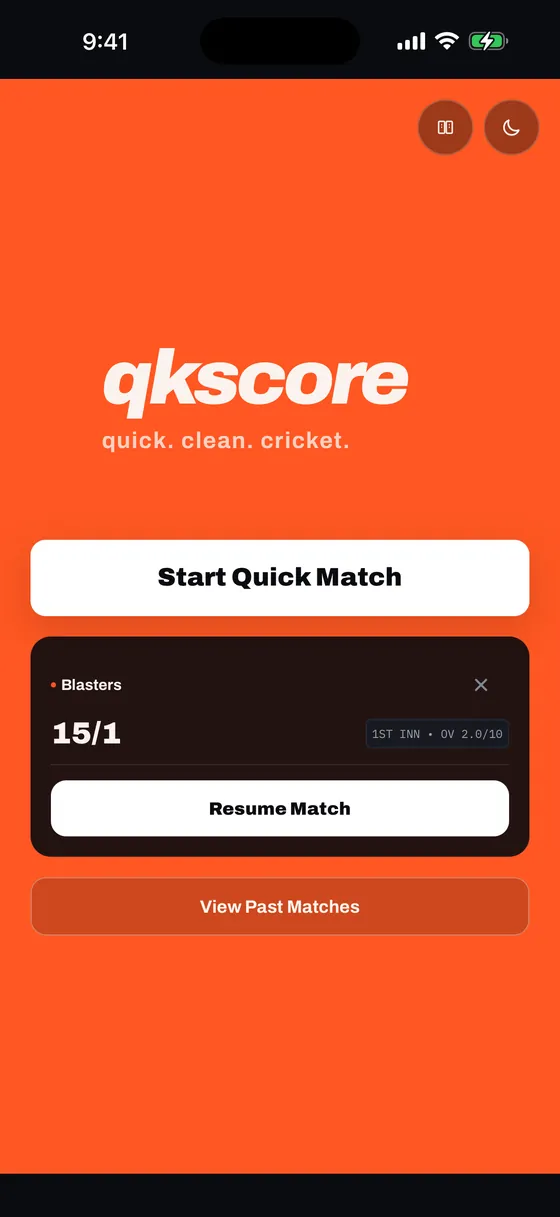
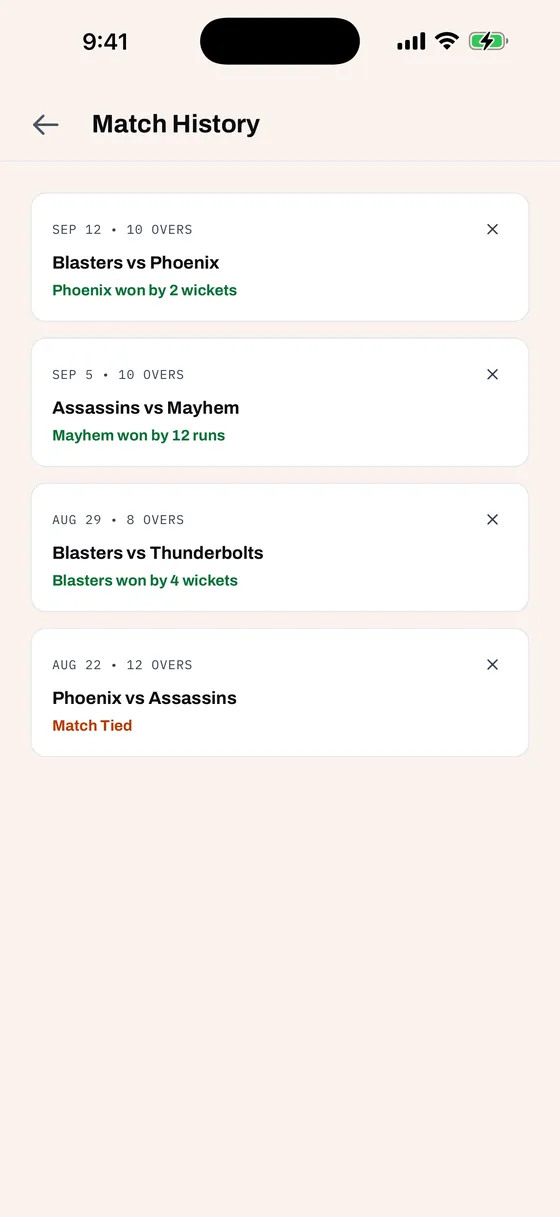
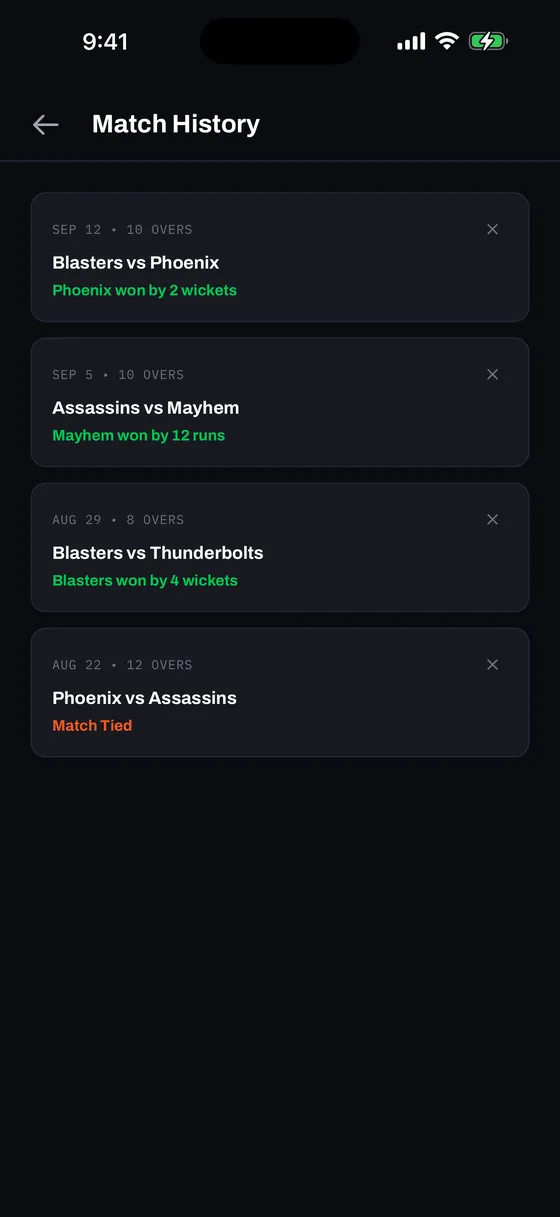
- Start Quick Match — Launch straight into match setup and coin toss.
- Resume Match — Automatically appears whenever a match is in progress, showing the batting team, current score, and over progress. Tap to pick up exactly where you left off. Every ball you scored is restored; undo comes back with the last 12 balls available (see Undo under the Action Bar).
- View Past Matches — Opens an on-device archive of up to 50 previous matches with dates, team scores, margins of victory, and full interactive scorecards. Everything is stored locally on your device with 100% offline access.
- Delete Saved Matches — Clean up unwanted or test games anytime. Tap the discrete ✕ button on the top-right of any match card to open a safety confirmation dialog displaying the exact matchup (e.g. Blasters vs Phoenix) and warning "This can't be undone" before permanently pruning it from local storage.
qkscore is engineered for crystal-clear readability across all outdoor conditions. Tapping the theme icon in the top header cycles up and down brightness levels in a continuous loop:
🌙 Dark → ☀️ Light → ⚡ Sunlight → ☀️ Light → 🌙 Dark
High-contrast ⚡ Sunlight Mode maximizes luminance with pure white surfaces, high-contrast black borders, and heavy stroke weights — ensuring zero glare or eye strain at the boundary line on bright sunny afternoons.
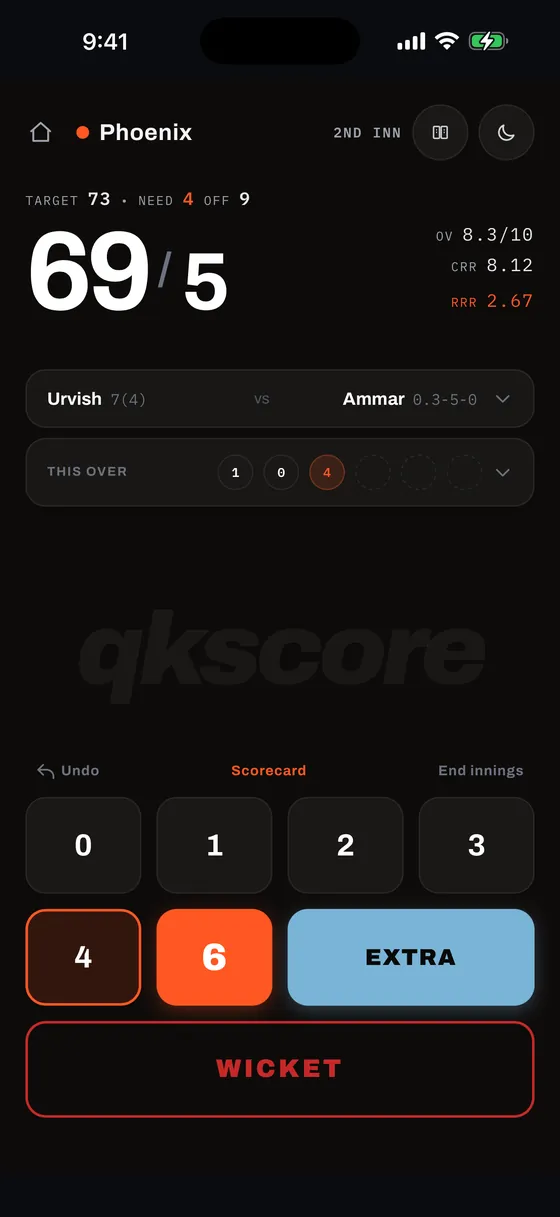
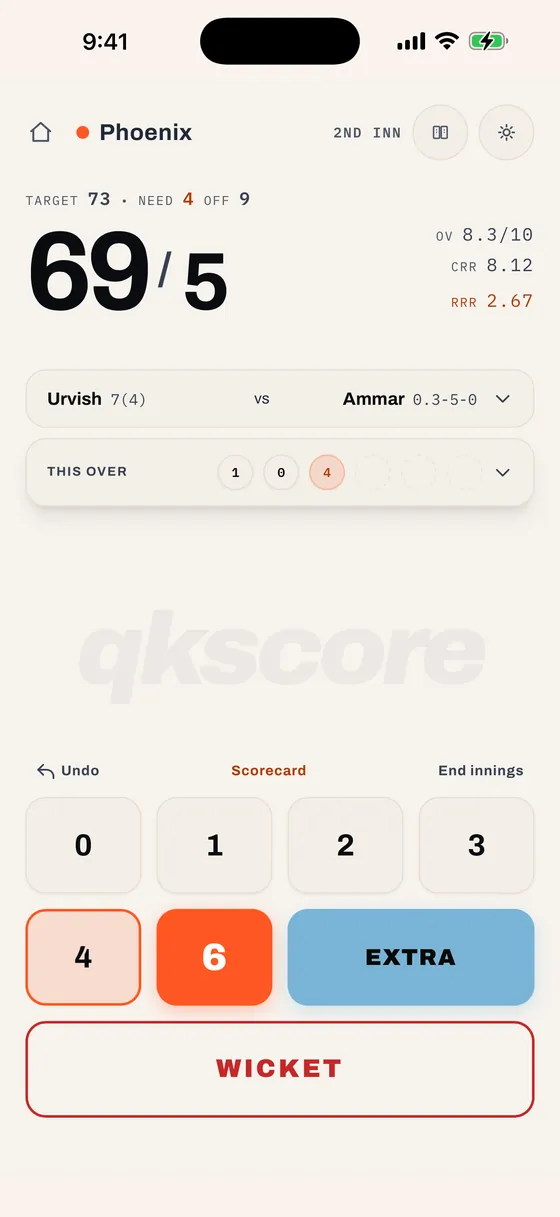
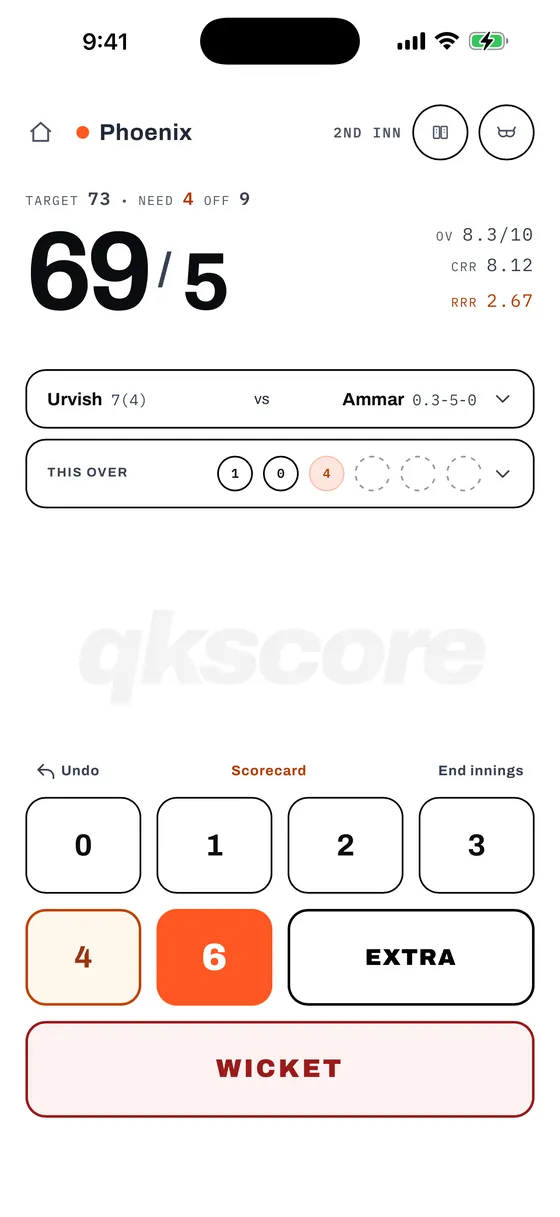
Match Setup
Configure the match parameters before heading out for the coin toss. Smart defaults allow you to start scoring in seconds.
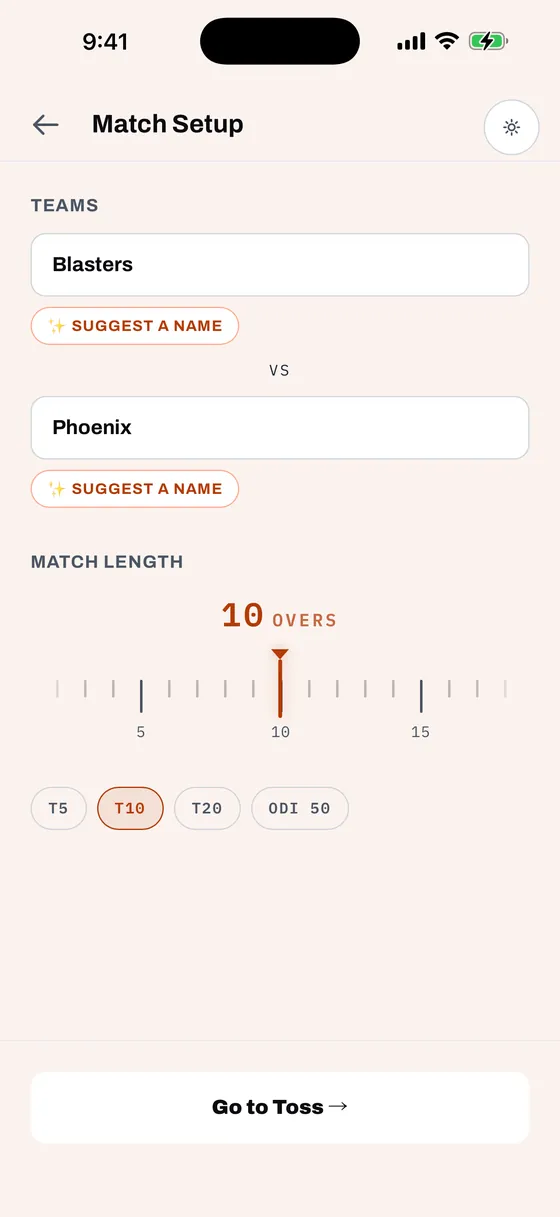
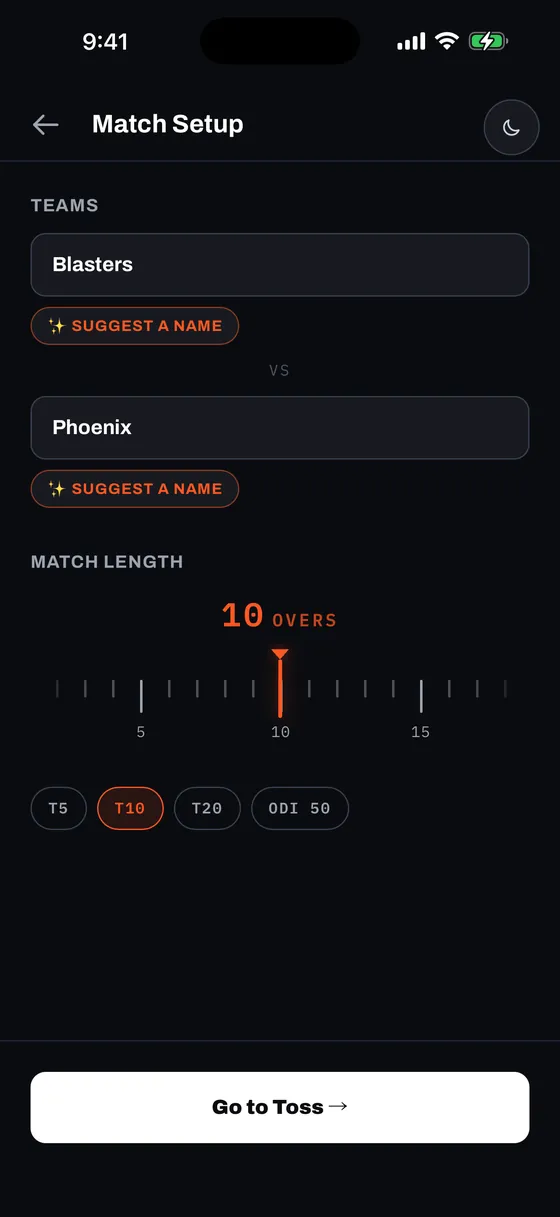
| Field | Default | Description |
|---|---|---|
| Team Names | Random names | Enter custom team names (e.g. Blasters vs Phoenix) or choose from offline generated suggestions. |
| Match Length | 10 overs | Anything from 1 to 50 overs a side, set on the ruler or with a one-tap format chip. |
| House Rules | Customizable | Ground rules, wicket penalties, illegal delivery rules, and boundary conditions. |
First time launching a match? qkscore automatically guides you through the House Rules screen first so your group can align on local ground rules (such as Hit Out of Bounds or No-ball Re-bowls) before setting up teams.
Future matches: Your house rules stay saved! You can update them at the start of any future match from the Setup screen card, or mid-game at any time by tapping the 📖 book icon in the live scoring HUD header.
Each team field is pre-filled with a memorable name (e.g. Blasters, Phoenix) drawn from an offline pool of 175 names. Tap ✨ Suggest a name to reveal 4 instant alternatives or type your own custom names. If you leave team names unedited between back-to-back matches, qkscore automatically remembers and carries over your rosters.
Match Length: 1 to 50 Overs
Drag the ruler to set the innings length. The marker stays put in the middle and the scale slides behind it, so picking 37 overs takes the same effort as picking 10 — the range never squeezes the values together. The number sits directly above the marker, where your thumb already is.
For the lengths most games actually use, tap a format chip instead:
- T5 — five overs a side, for a quick evening hit.
- T10 — the pickup default.
- T20 — a full-length short-format game.
- ODI 50 — because why not, you cricket lover!
Tap Go to Toss → when ready.
House Rules
Pickup cricket is played everywhere — tennis-ball turf, street cul-de-sacs, indoor arenas, and public parks. Every ground has its own unique quirks, and qkscore adapts to all of them.
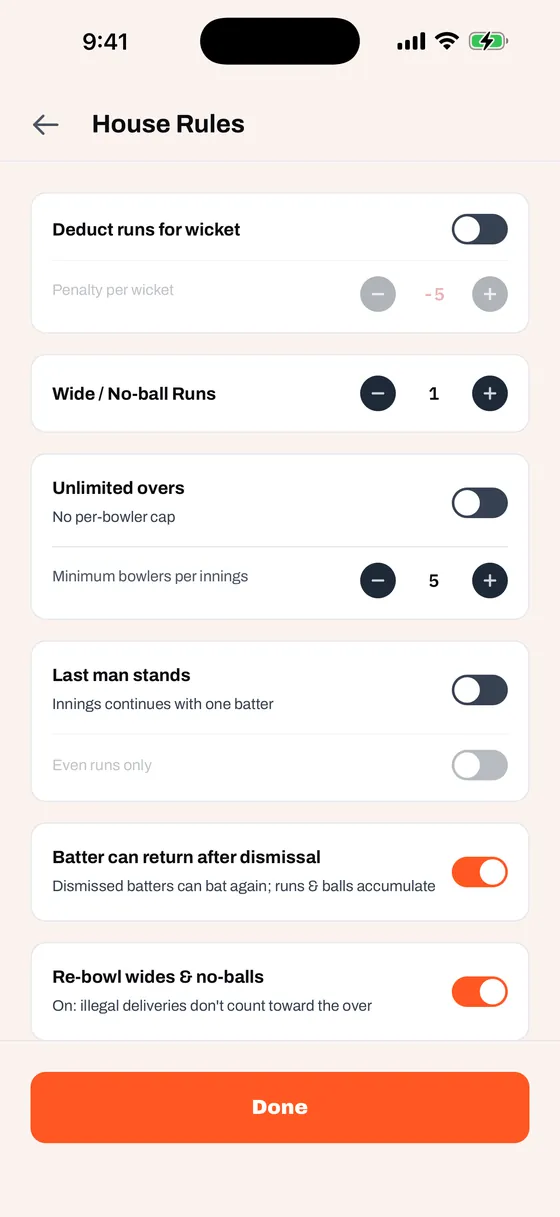
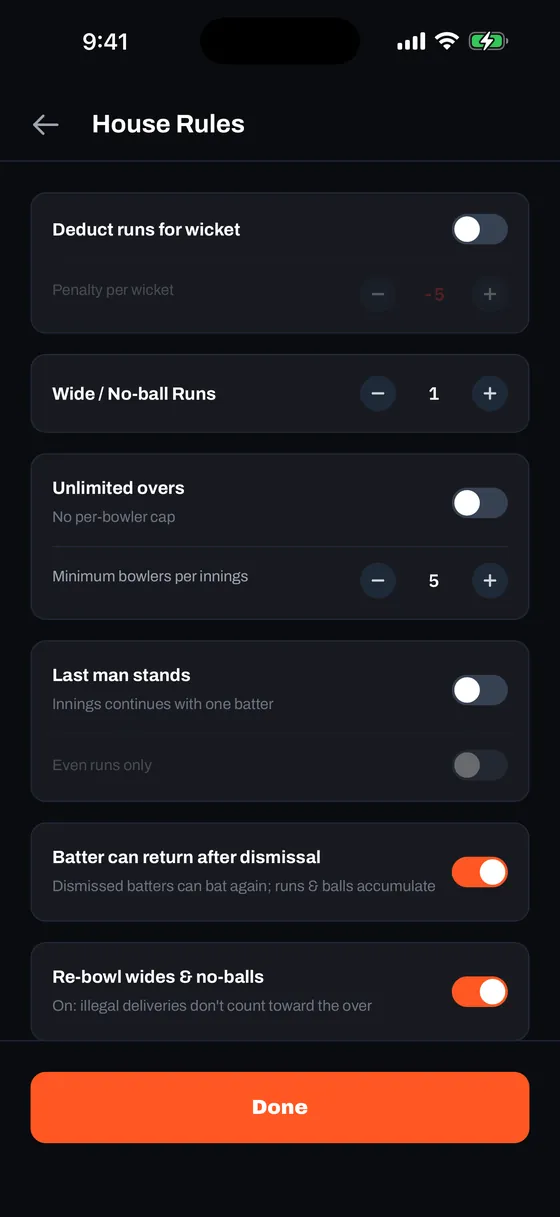
| Rule | Default | Description |
|---|---|---|
| Batter can return after dismissal | On | Essential for street and neighborhood games with small rosters. When enabled, out batters return to the eligible batting pool instead of forcing an early all-out. Dismissals are stacked chronologically (e.g. 1. b Dave, 2. c Frank b Eve) alongside a 2 OUT badge, and the batter maintains a unified runs, balls, boundaries, and strike-rate stat line across visits. |
| Hit Out of Bounds = Out | Off | The classic street & backyard rule: hitting over the wall, into the road, or onto parked cars is an automatic wicket. When enabled, Out of Bounds appears in the wicket dismissal menu. |
| Re-bowl Wides & No-Balls | On | Toggle whether illegal balls must be re-bowled. In tight time limits or casual park cricket, turning this off still charges the penalty run but counts the ball toward the 6-ball over to keep play brisk. |
| Wide / No-Ball Runs | 1 run | Set the penalty runs awarded for each illegal delivery, from 1 to 6. Every wide and no-ball costs at least one run, so with re-bowling off an over still has to be bowled to be finished. |
| Deduct Runs for Wicket | Off (-5 runs) | Box and indoor cricket style: a fixed number of runs (1 to 50) comes off the batting side's total each time a wicket falls. Totals can drop below zero, and a chase carries on past the target until the overs run out or the innings is ended, since a later wicket can pull the score back under. |
| Last Man Stands | Off | When only one batter remains not-out, allows them to continue batting solo without requiring a ghost non-striker. |
| Even Runs Only | Off | Nested under Last Man Stands — restricts the solo batter to even-numbered run totals per ball, since there's no partner to rotate strike with on an odd run. |
| Unlimited Overs | Off | Disable per-bowler over caps for casual games where anyone can bowl as many overs as agreed. |
| Minimum Bowlers per Innings | 5 | Nested under Unlimited Overs — sets how many different bowlers must share an innings, keeping one player from bowling the whole thing. |
Ground rules changed because a car parked near mid-wicket mid-game? Just tap the 📖 book icon in the top header while scoring to update your House Rules on the fly without resetting or interrupting the match.
The Toss
A realistic 3D coin flip animation with physics and multi-axis rotations decides the toss. After the spin settles, the screen displays the coin outcome, highlights the winning team, and awaits their pending Bat or Bowl decision.
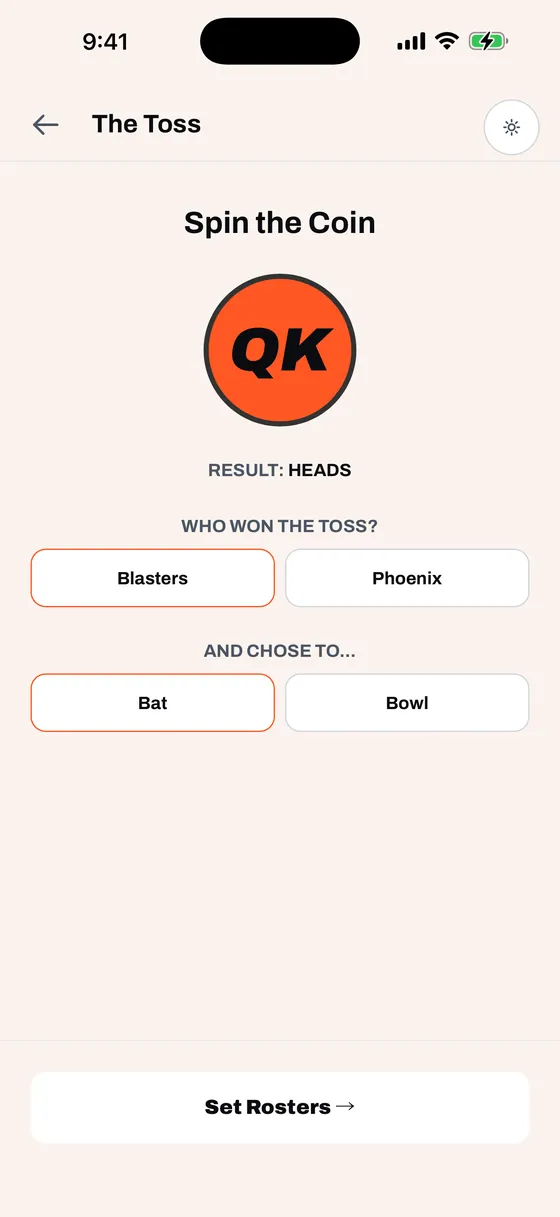
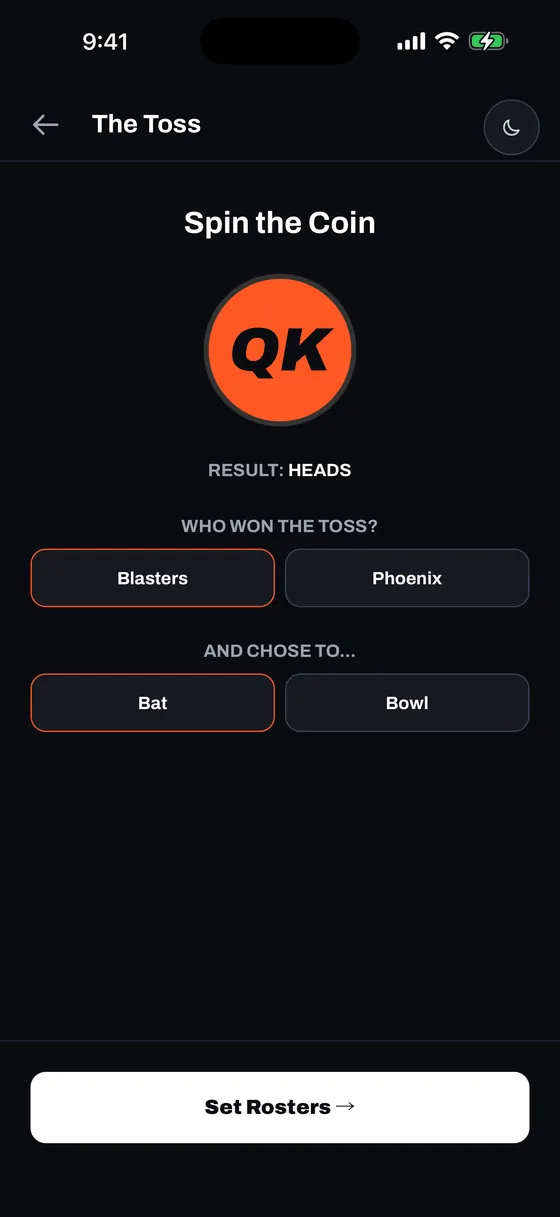
- Tap SPIN to flip the coin.
- The coin lands on HEADS or TAILS and reveals the toss decision section.
- Tap the team that won the toss (e.g. Blasters is highlighted in orange).
- Select whether the winning team elects to Bat or Bowl.
- Once both selections are made, tap Set Rosters → to proceed.
Rosters
Type or paste player names for each team as comma-separated or newline-separated lists. qkscore supports casual matches with flexible rosters of any size.
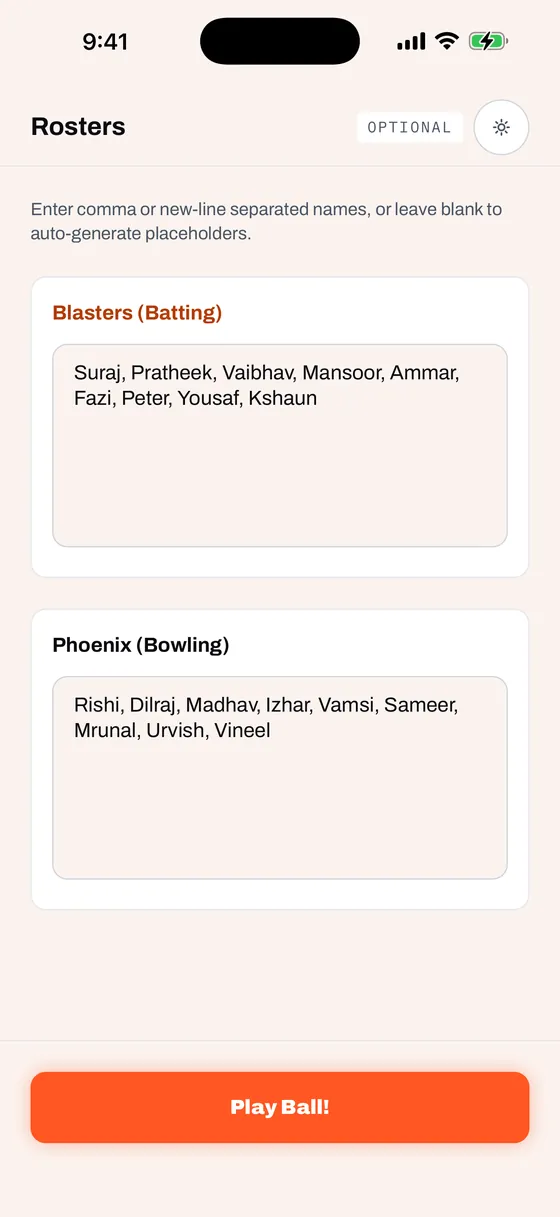
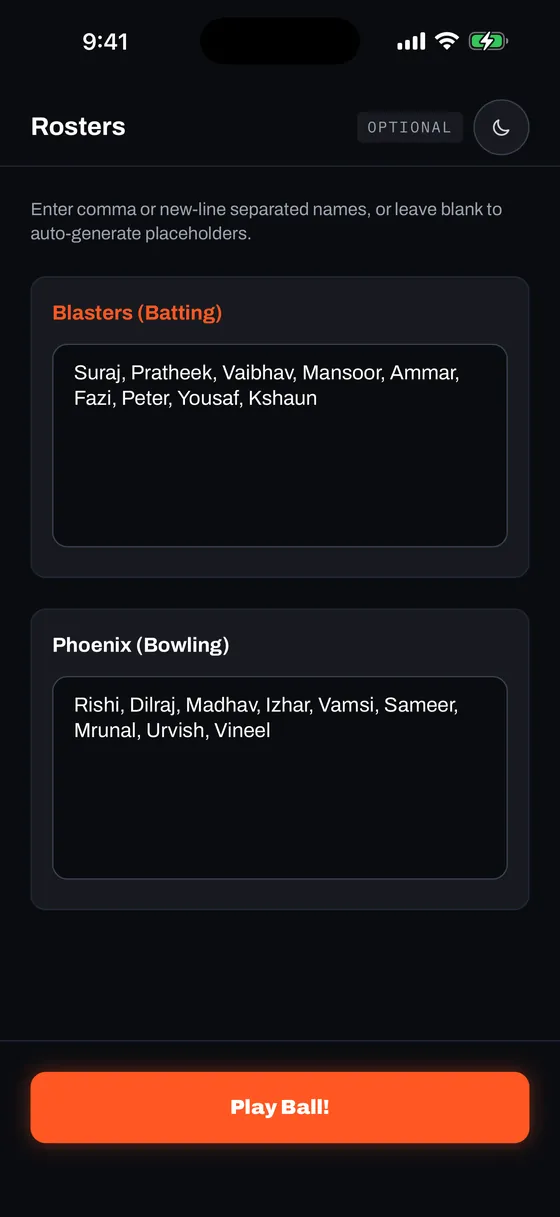
Playing back-to-back games with the same group? If team names remain unchanged from your previous game, qkscore automatically pre-fills your rosters so you don't have to re-enter player names.
Two Players, One Name
Pickup sides are full of repeated first names, and a hurried double-entry looks exactly like two genuine Madhavs. So when you tap Play Ball!, qkscore checks both rosters for repeats before the match starts and shows you what it found — how many times each name appears, and which side it is on.
- Update — Takes you back to the Rosters screen with the cursor already in the box that repeats a name. Everything you typed is still there.
- Continue — Keeps them as two separate players and numbers the repeats: Madhav and Madhav 2. Each carries their own batting, bowling and MVP figures for the rest of the match.
Once you have confirmed a particular set of repeated names, that same set goes straight through next match and is numbered automatically. Change the names and it checks again.
After tapping Play Ball!, an opening selection modal lets you pick the Opening Striker, Non-Striker, and Opening Bowler. The app automatically ensures the same player cannot be assigned to both batting ends simultaneously.
Live Scoring HUD
Designed from the ground up for fast, single-thumb scoring right from the boundary rope, even under glare or with sweaty hands.
Top Bar & Status
- Batting Team Indicator — Glowing live indicator with the batting team's name.
- Innings & Chase Line — Displays
1ST INN, or dynamic chase targets likeTARGET 6 • NEED 1 OFF 7. - 📖 House Rules Icon — One-tap access to inspect or modify ground rules mid-match.
- Theme Toggle — Quick toggle between Dark, Light, and Sunlight modes without leaving the match.
Giant Score & Rates
Large, high-contrast runs / wickets readout with CRR (Current Run Rate) and RRR (Required Run Rate during 2nd innings) clearly visible from several feet away.
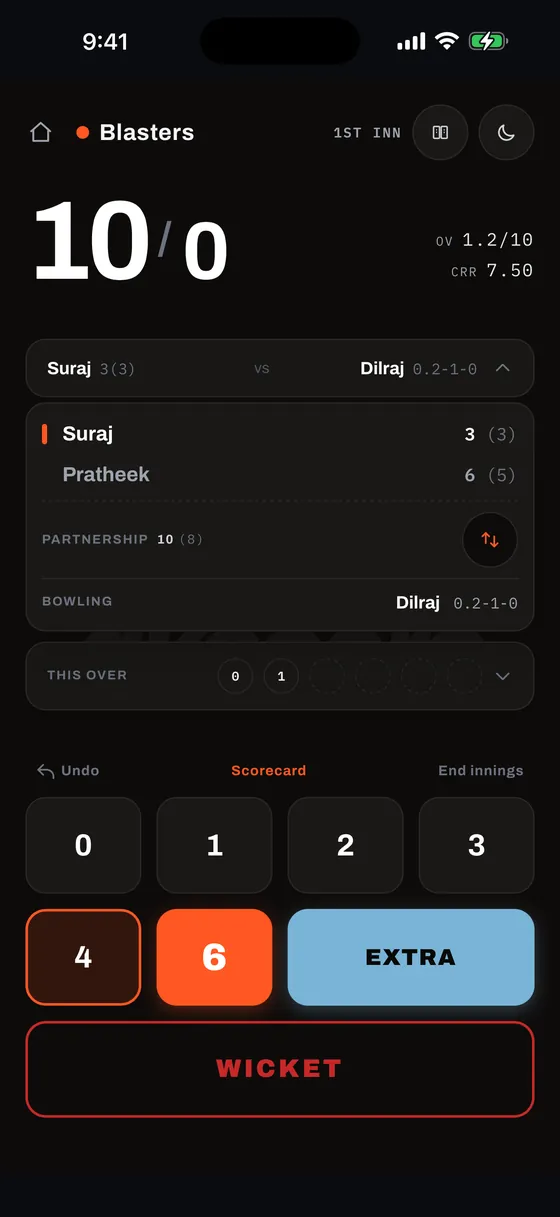
Player Summary Bar
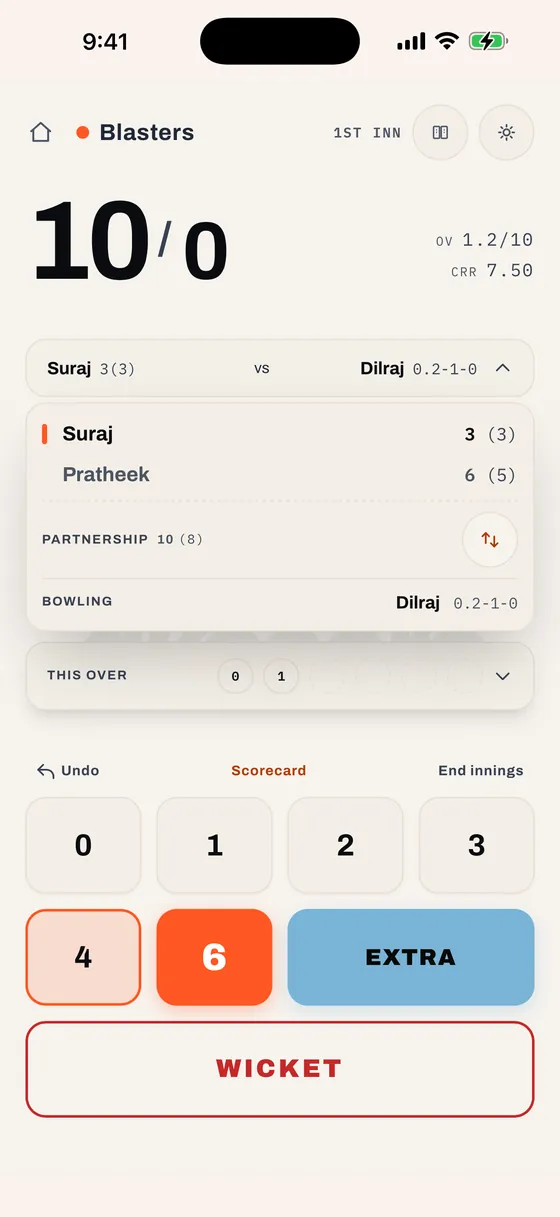
The compact bar displays the striker's score, vs, and bowler's spell figures (e.g. Pratheek 1(3) vs Madhav 1.0-5-1). Tap to expand the full drawer with individual balls faced, live partnership runs/balls, and an instant strike rotation button (⇅):
That ⇅ button simply swaps which batter is on strike, leaving every run, ball and figure untouched. Reach for it when the pair cross on a ball the app scored as a dot, or when a bye leaves the wrong name on strike — it fixes the ends in one tap, with no replacement sheet and no stat surgery.
Mini Over Strip & Ball-by-Ball Feed
A horizontal timeline displays each ball of the active over with distinct, high-contrast color coding:
| Result | Visual Pill Style |
|---|---|
| Dot (0) | Subtle bordered circle, white/dark text |
| Runs (1–3) | Standard bordered circle with runs count |
| Four (4) | Warm orange tinted circle |
| Six (6) | Solid brand orange pill, high-visibility text |
| Extra (WD / NB / B / LB) | Vibrant blue text and border |
| Wicket (W) | Solid red circle |
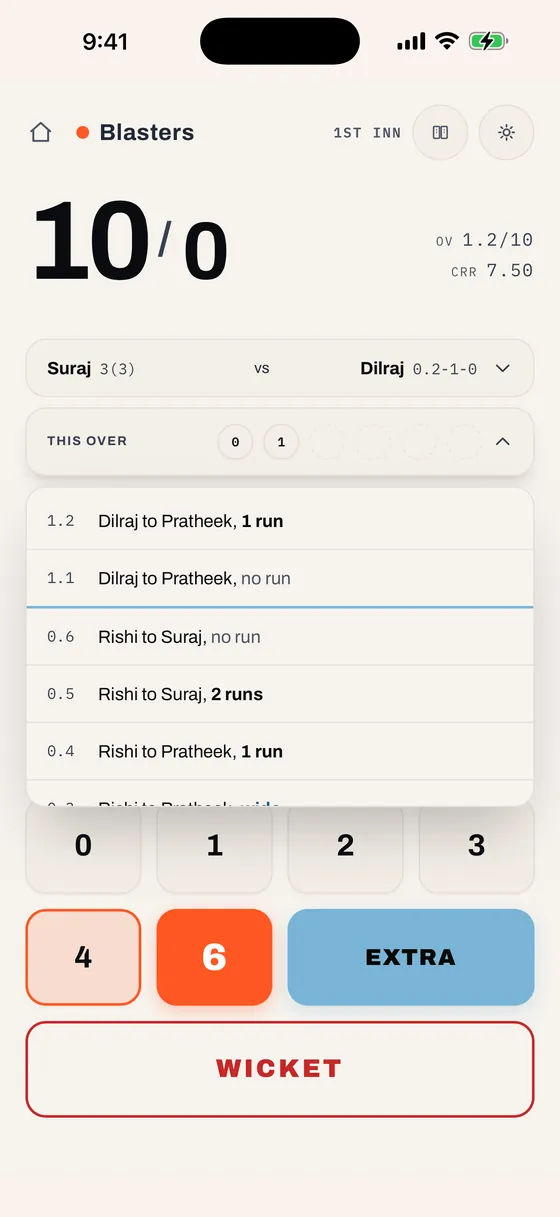
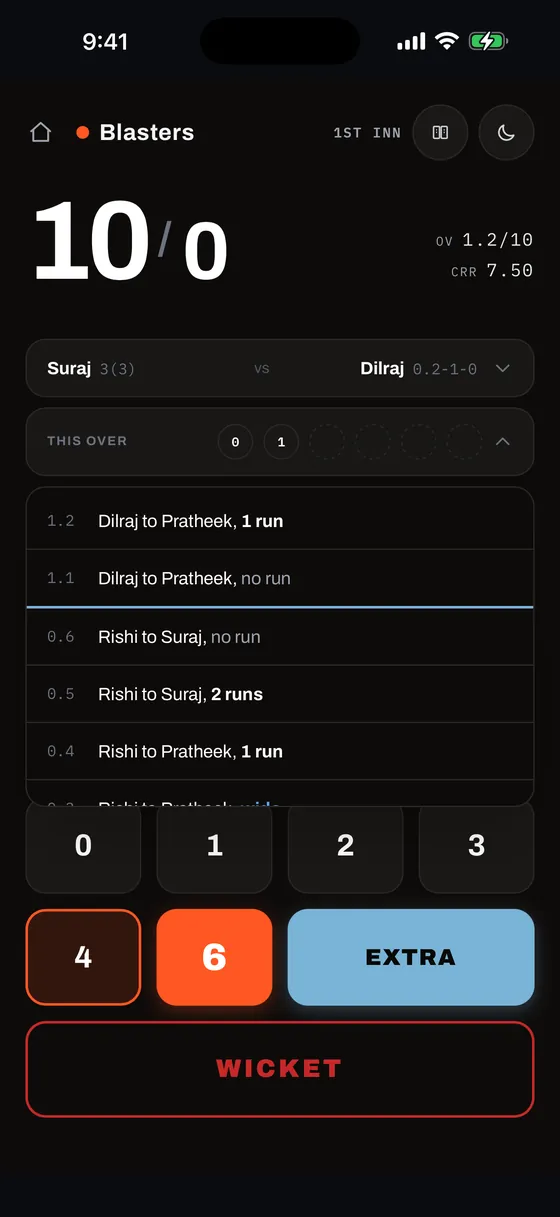
Tap the "THIS OVER" header to expand a complete, scrollable ball-by-ball commentary feed with over divider lines and detailed delivery matchup descriptions:
Scoring Keypad & Throttle Safety
| Key | Function |
|---|---|
| 0 1 2 3 | Regular runs. Odd runs automatically swap striker and non-striker. |
| 4 | Boundary four. Strike remains with the batter. |
| 6 | Maximum six. Strike remains with the batter. |
| EXTRA | Opens the two-step Extras modal (see below). |
| WICKET | Opens the dismissal flow (see below). |
In high-intensity moments, enthusiastic taps can cause accidental multiple entries. qkscore enforces a calibrated 150ms hardware throttle and haptic confirmation, guaranteeing each ball is registered cleanly exactly once.
Action Bar
- ↶ Undo — Instant rollback. Uncapped while the app stays open — you can keep undoing ball-by-ball back through previous overs, across the innings break, and all the way to the first ball of the match. The button greys out once there is nothing left to undo.
- Scorecard — Preview the live scorecard and MVP leaderboard at any time during the match.
- End Innings — Manually declare or conclude the innings early.
Undo runs the full length of the match while qkscore is open. If the app is force-quit or shut down by your phone mid-match, the last 12 balls stay undoable when you tap Resume Match — enough to walk back a couple of overs and fix a mis-tap you spot later. Anything further back is settled.
Your scoring is never affected: every ball recorded before the app closed is restored in full. It is only how far Undo can reach that is shortened.
Extras
Tapping EXTRA launches a streamlined two-step entry sheet:
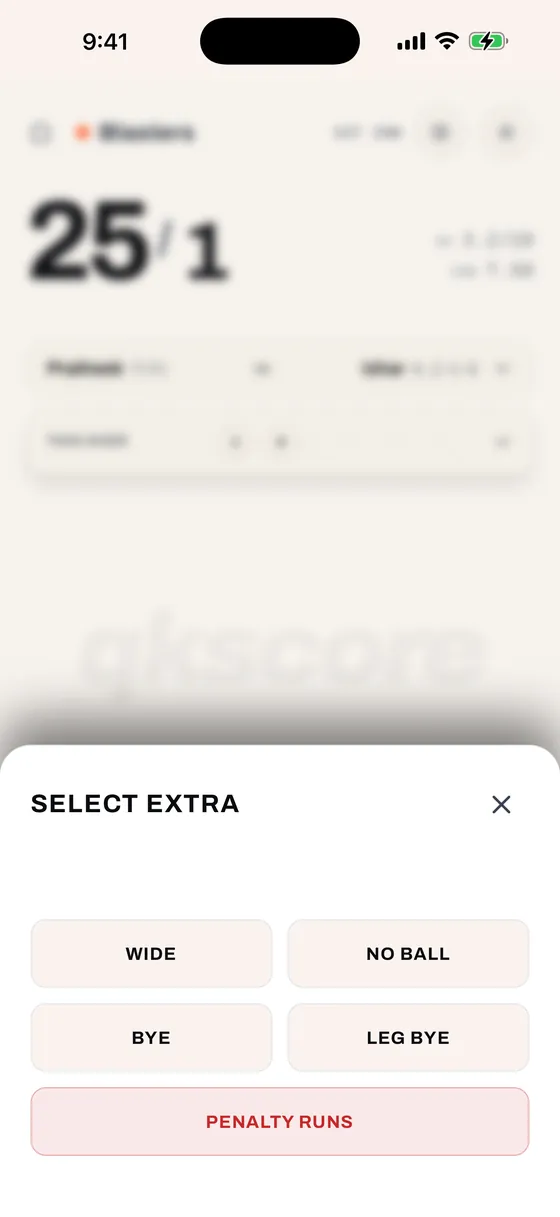
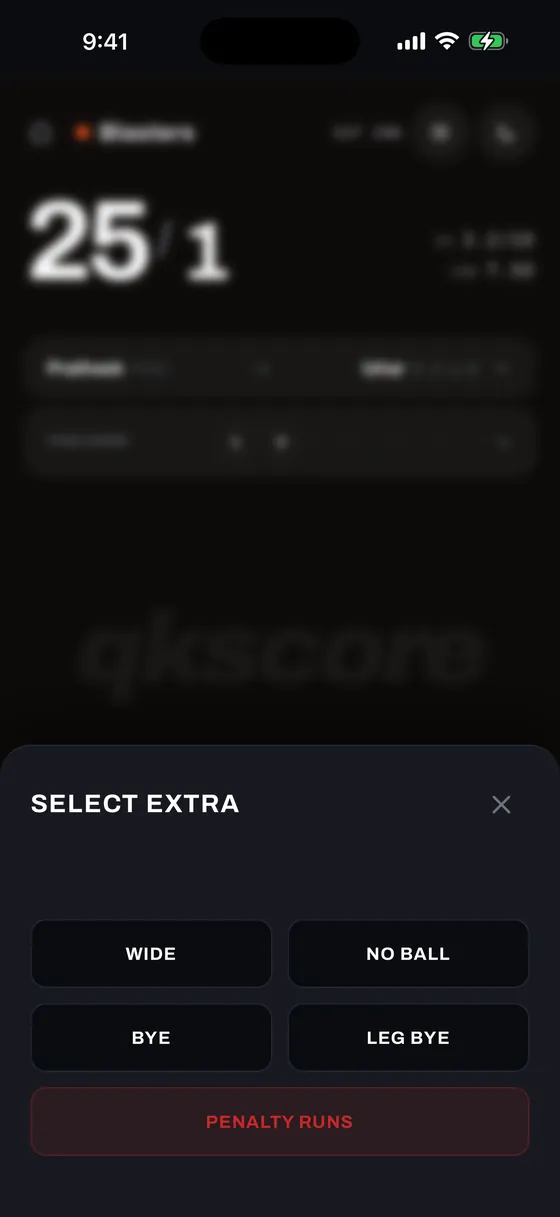
Step 1: Delivery Category
| Type | Legal Delivery? | Scoring Rule |
|---|---|---|
| Wide (WD) | No (re-bowled unless disabled) | Penalty runs (1 or 2) + additional runs taken. Charged to bowler figures. |
| No Ball (NB) | No (re-bowled unless disabled) | Penalty run + off-the-bat runs credited directly to the striker. |
| Bye (B) | Yes | Runs added to team total only. Counts as a dot ball on the bowler's figures. |
| Leg Bye (LB) | Yes | Same as Byes. Off the batter's pad/body. |
| Penalty (PEN) | No delivery count | Direct team penalty runs without impacting bowler figures or ball tallies. |
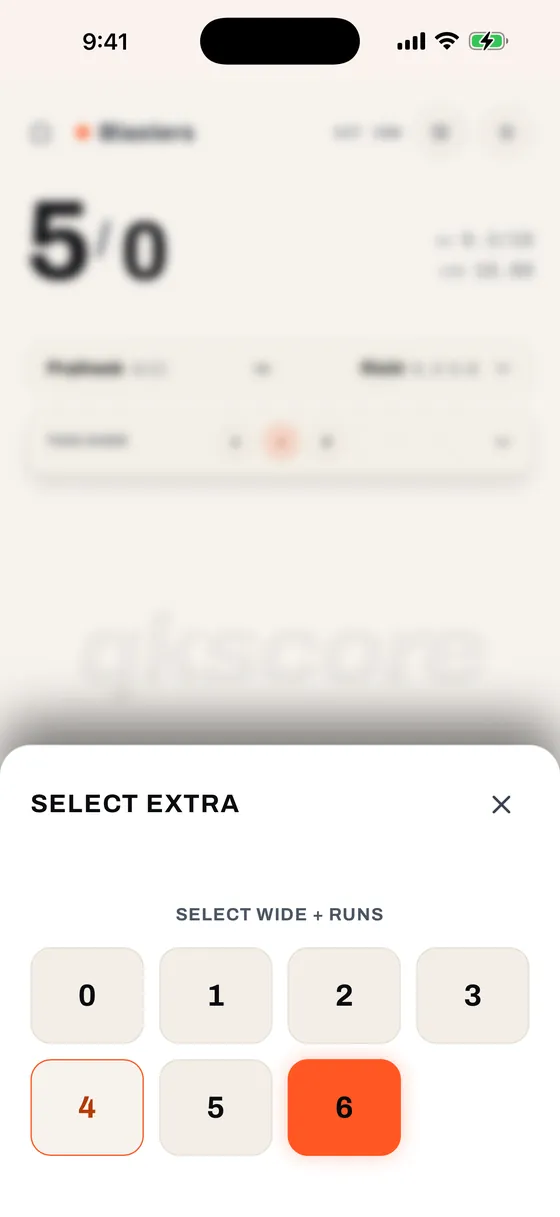
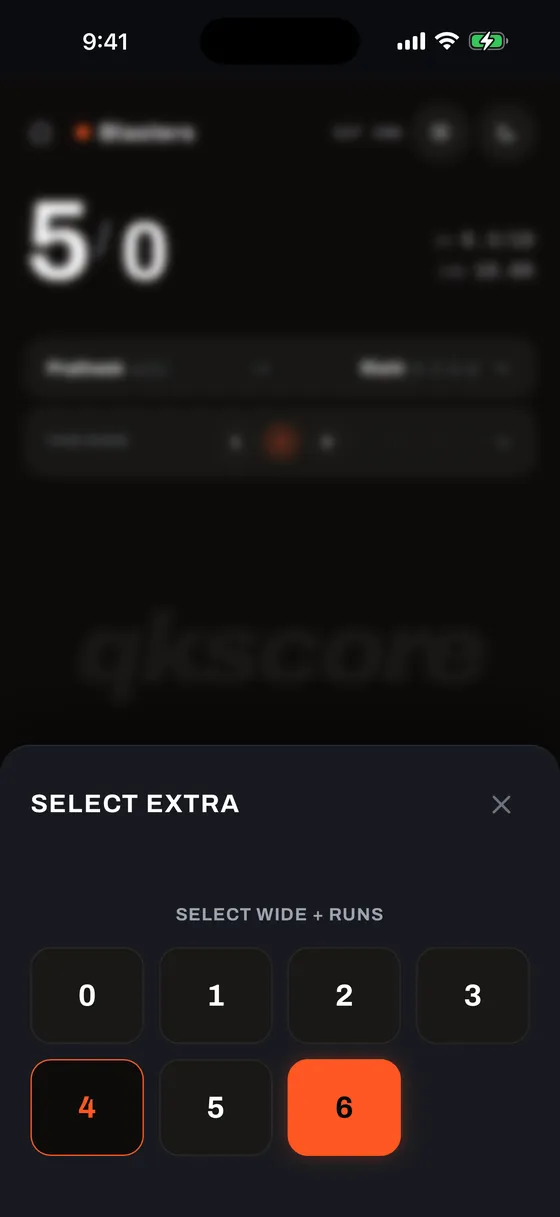
Step 2: Additional Runs Taken
After picking an extra type (such as Wide or No Ball), Step 2 lets you record any additional runs completed between wickets (0 through 6). For Byes and Leg Byes, the 0 button is automatically hidden since zero byes is simply a standard dot ball.
Wickets & Dismissals
The dismissal workflow captures all dismissal nuances accurately with minimal taps:
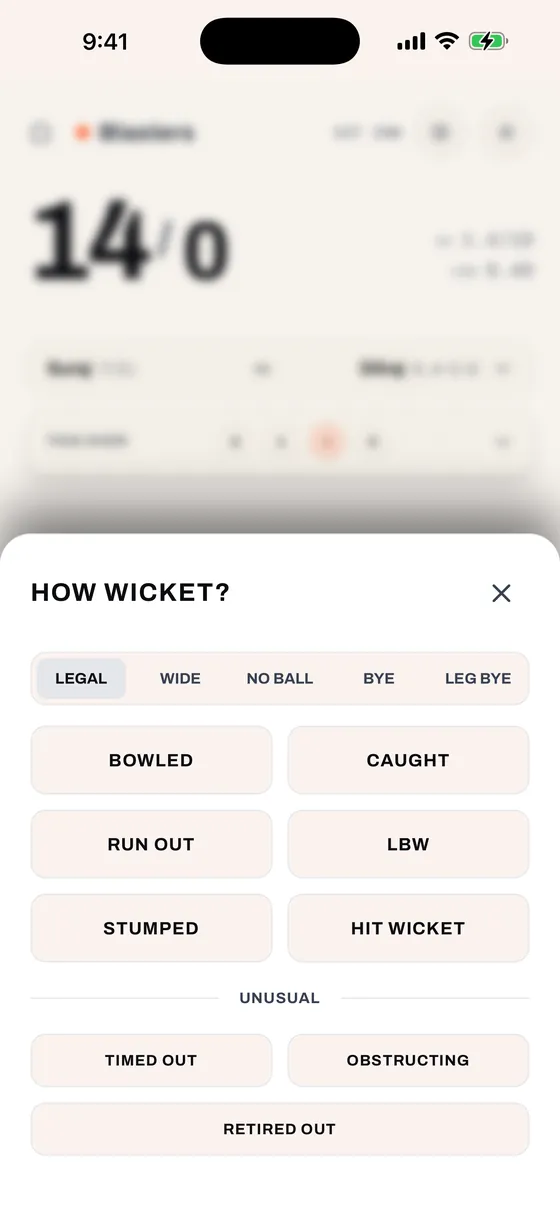
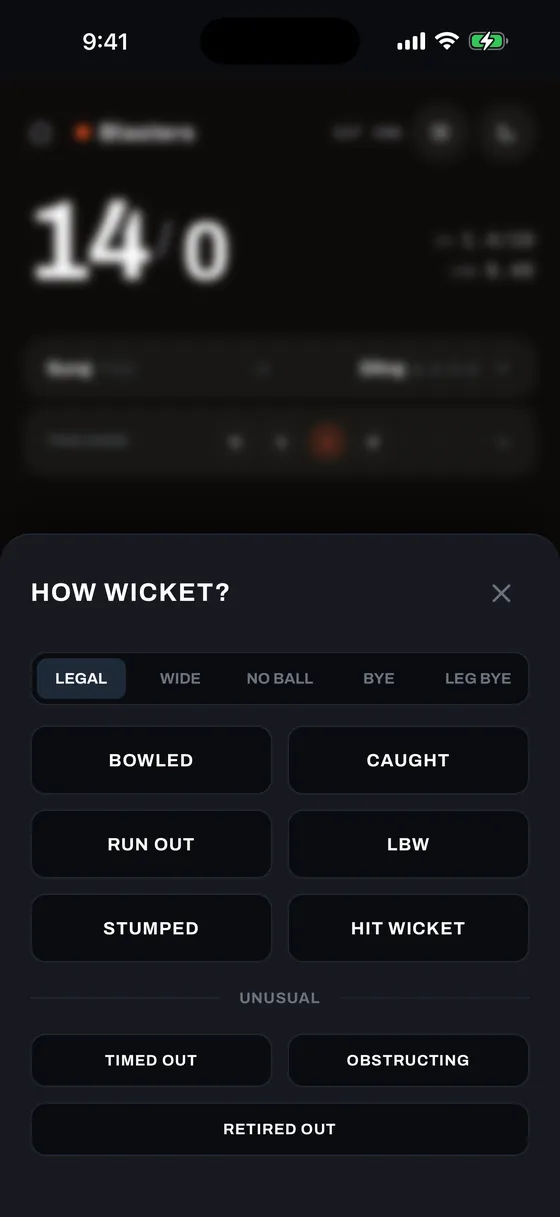
- Delivery Type — Select whether the dismissal occurred on a Legal ball, Wide, No Ball, Bye, or Leg Bye.
- Dismissal Mode — Choose from Bowled, Caught, Run Out, LBW, Stumped, Hit Wicket, Timed Out, Obstructing, Retired Out, or Out of Bounds (when House Rules are enabled).
- Fielder Selection — For Caught, Run Out, and Stumped dismissals, tap the contributing fielder from the fielding roster to credit their fielding statistics.
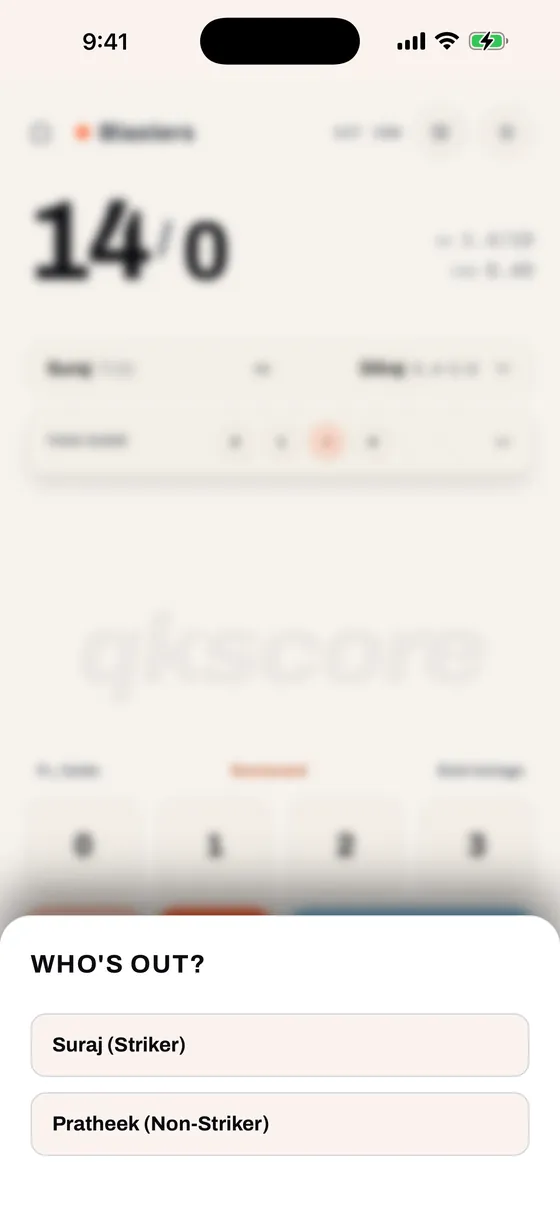
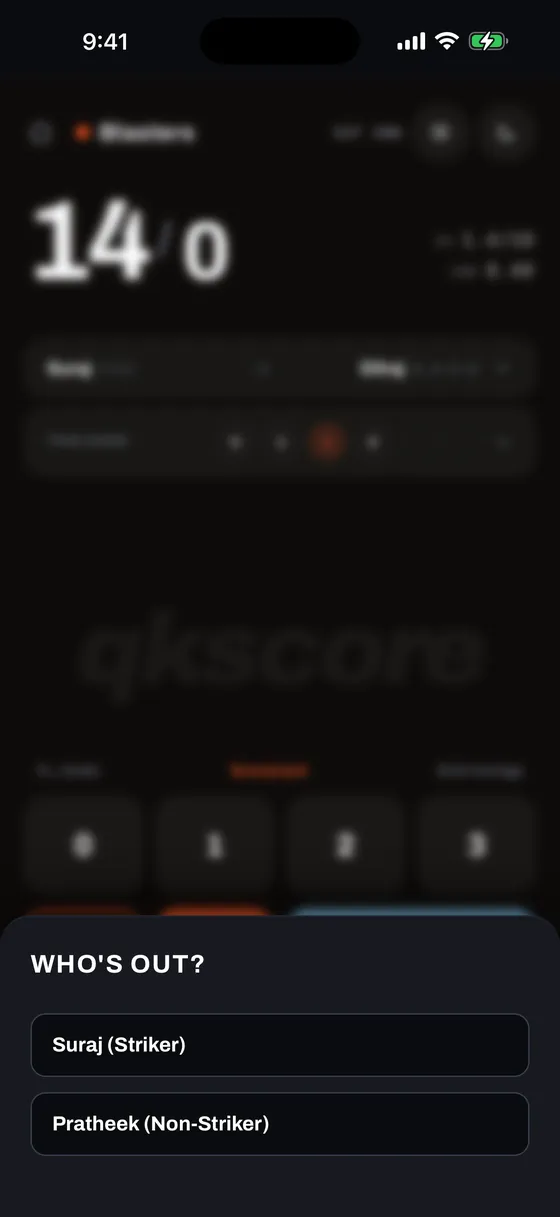
- Who's Out & Crossing Check — For Run Out and Obstructing: a dedicated "Who's Out?" modal names both batters and their active end. Select completed runs before the run out; qkscore calculates end crossings to ensure the surviving batter is at the correct wicket for the next ball.
- Next Batter — The player replacement drawer opens immediately to pick the incoming batter.
- Batter Ready Timer — An optional countdown timer (default 1:30) monitors incoming batters to keep pickup games moving along.
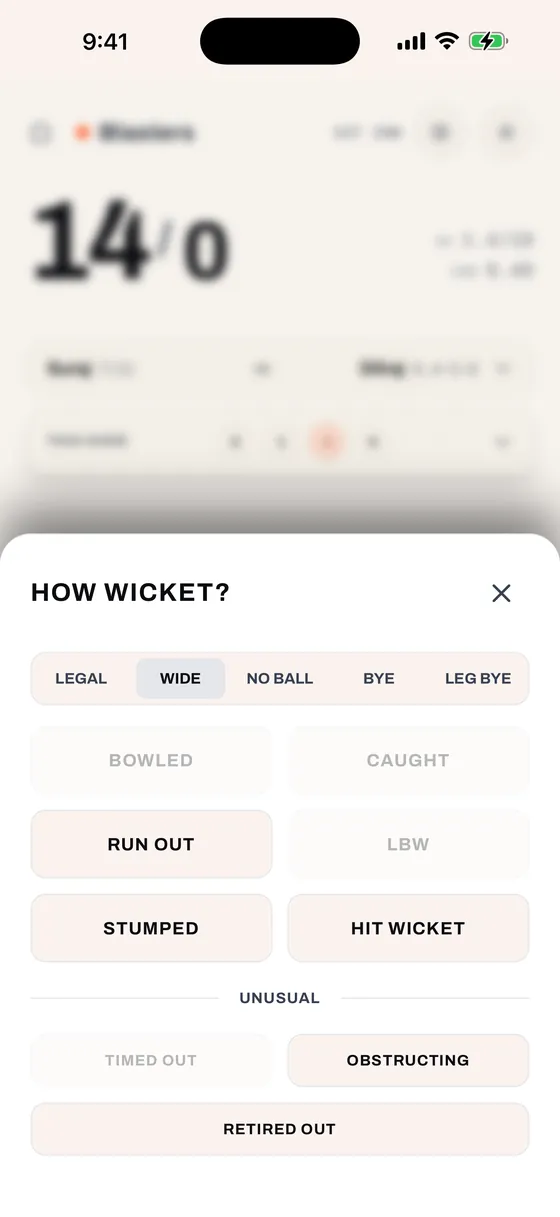
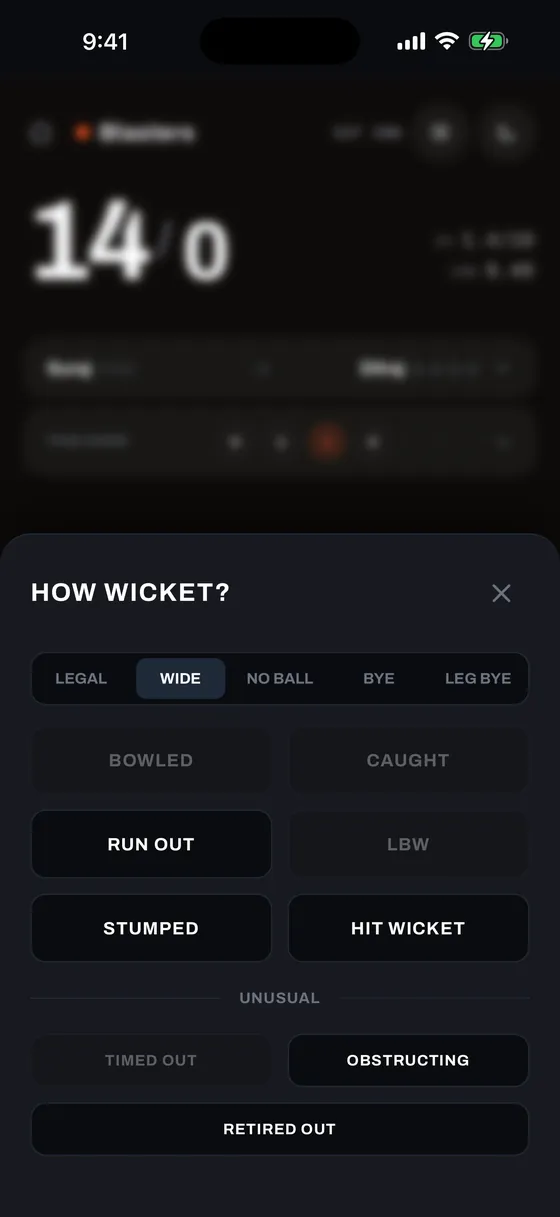
qkscore enforces official MCC Laws of Cricket logic. When a wicket occurs on a Wide delivery, dismissals like Bowled, Caught, LBW, and Hit Out of Bounds are legally invalid and automatically disabled. Only lawful dismissals — Stumped, Run Out, Hit Wicket, and Obstructing the Field — remain selectable.
Celebrations & Milestones
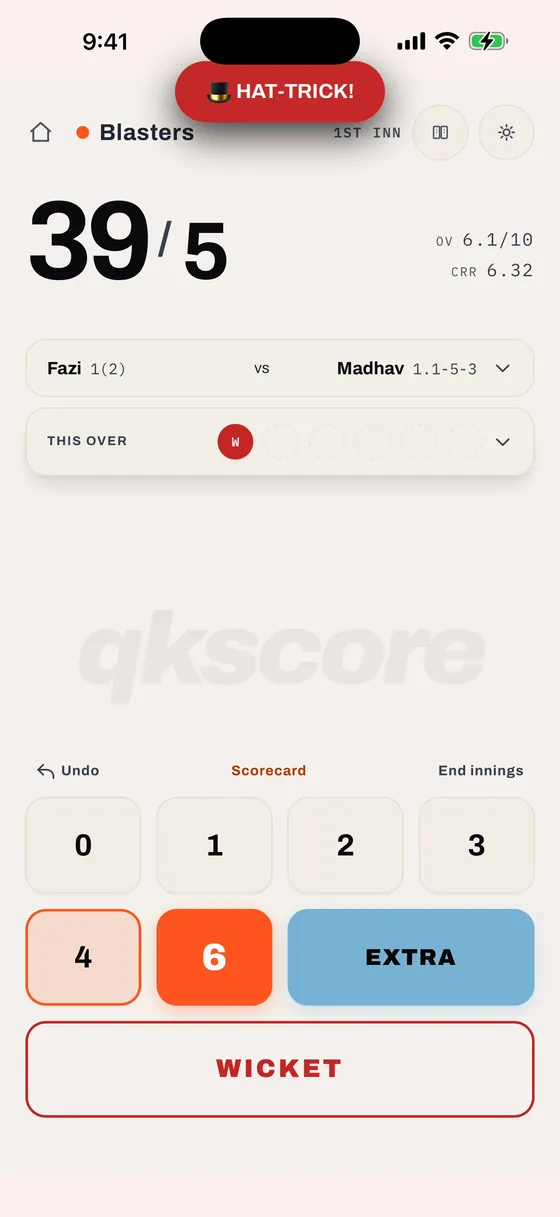
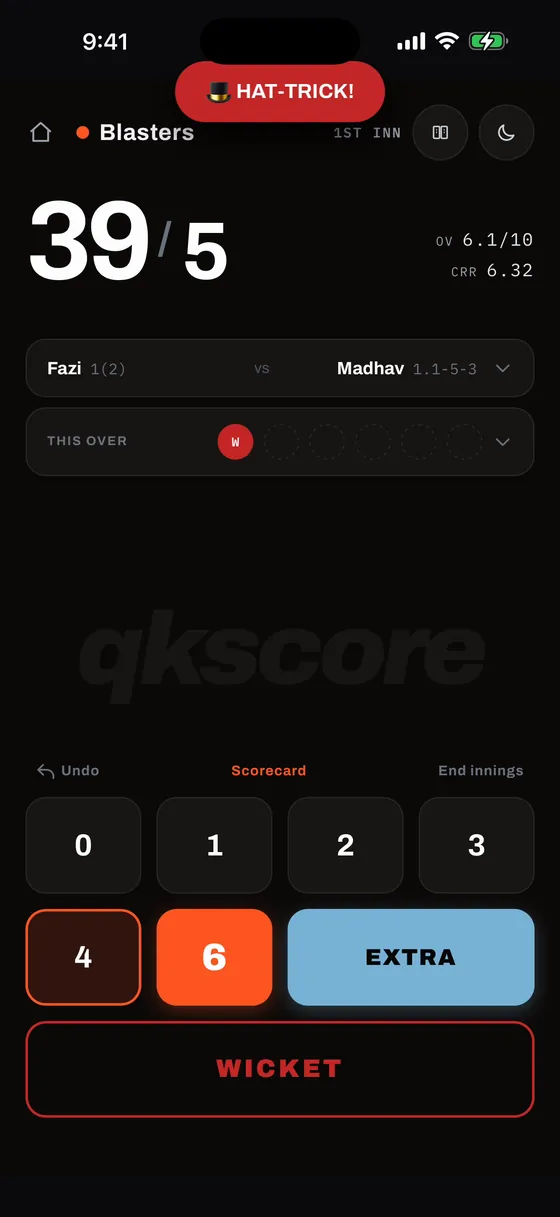
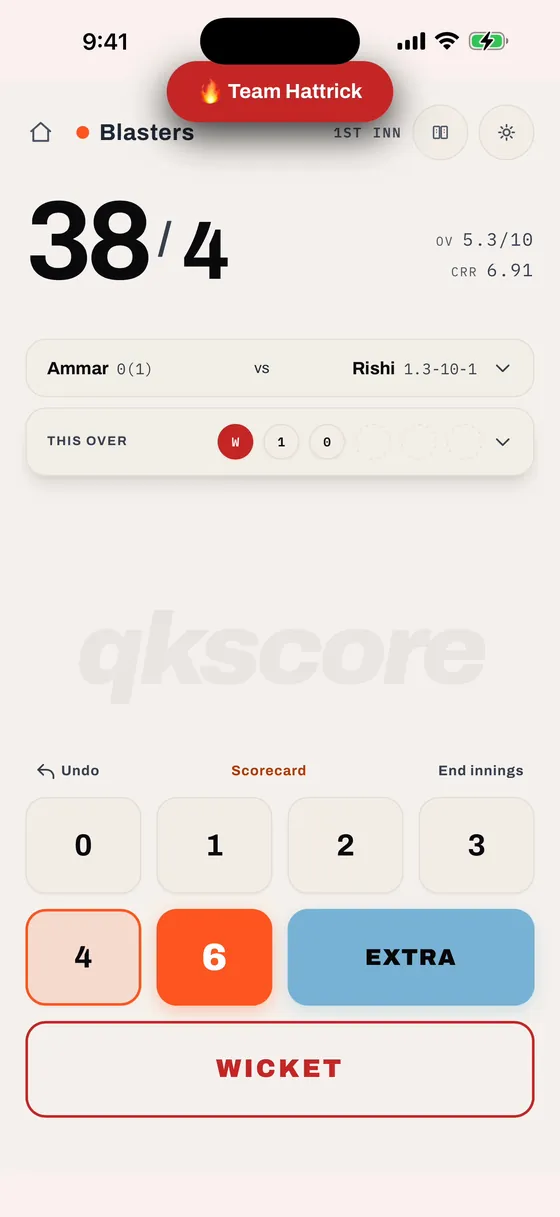
qkscore watches the scorecard as you tap and calls out the moments worth shouting about. Each one appears as a pill at the top of the scoring screen and fades on its own, so scoring carries on uninterrupted.
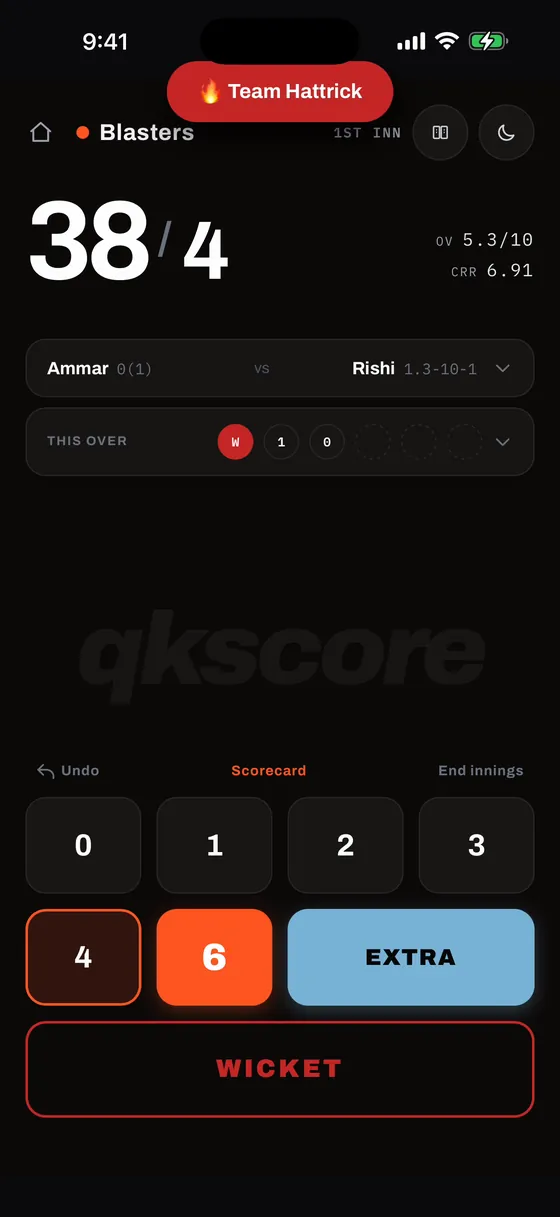
Hat-tricks
- 🎩 HAT-TRICK! — Three consecutive wickets credited to the same bowler on fair deliveries (legal, bye, or leg-bye). Wides and no-balls sit outside the sequence entirely and leave a streak standing. Streaks are tracked per bowler, so a hat-trick spread across two spells still counts when someone else bowls an over in between.
- 🔥 Team Hattrick — Three wickets in a row for the fielding side, whoever bowled them. Every dismissal counts here, run outs and retired out included, and so does every delivery type. Any ball without a wicket resets the sequence.
A bowler's hat-trick is three in a row for the side as well. When both land on the same wicket, qkscore shows the bowler's hat-trick on its own, keeping the more specific honour on screen.
Batting, Bowling & Partnership Milestones
- Batter milestones — Every 25 runs, with the wording rising through the innings: 🔥 25 off the bat!, 💥 50! Fifty up., 🚀 75 and flying, and 👑 Hundred! 100*.
- Bowler hauls — From the third wicket onward: 🎯 3 wickets!, 🔥 4-fer!, then 🤯 5 wickets!! and beyond.
- 🤝 Partnership milestones — Every 50 runs added by the current pair.
- 💯 Team milestones — Every 50 runs on the team total.
Free Hit
A no-ball puts the following legal delivery on a free hit, announced the moment you record it.
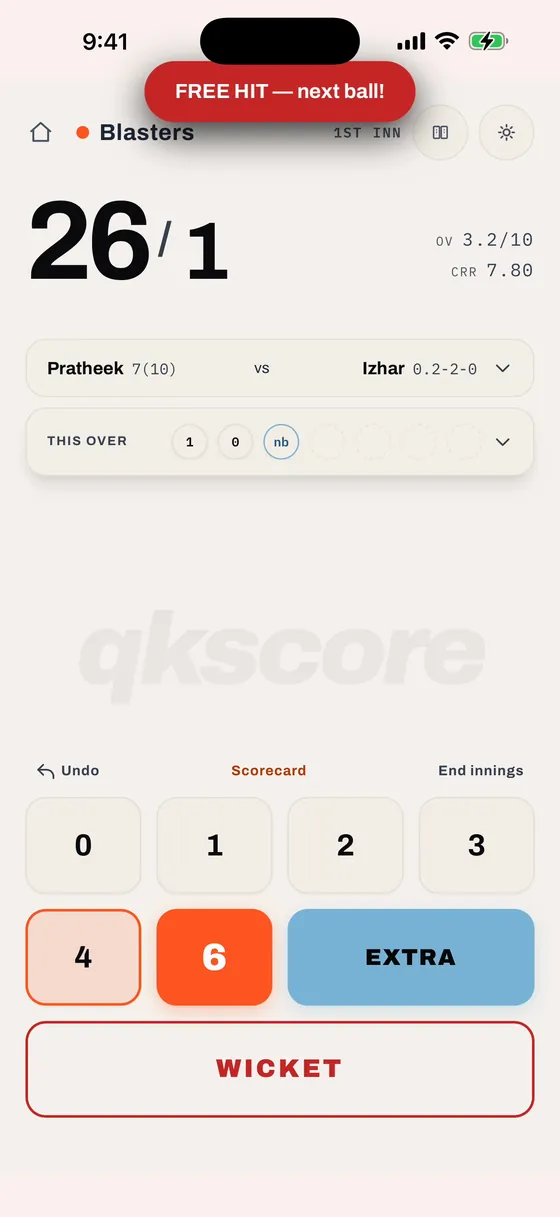
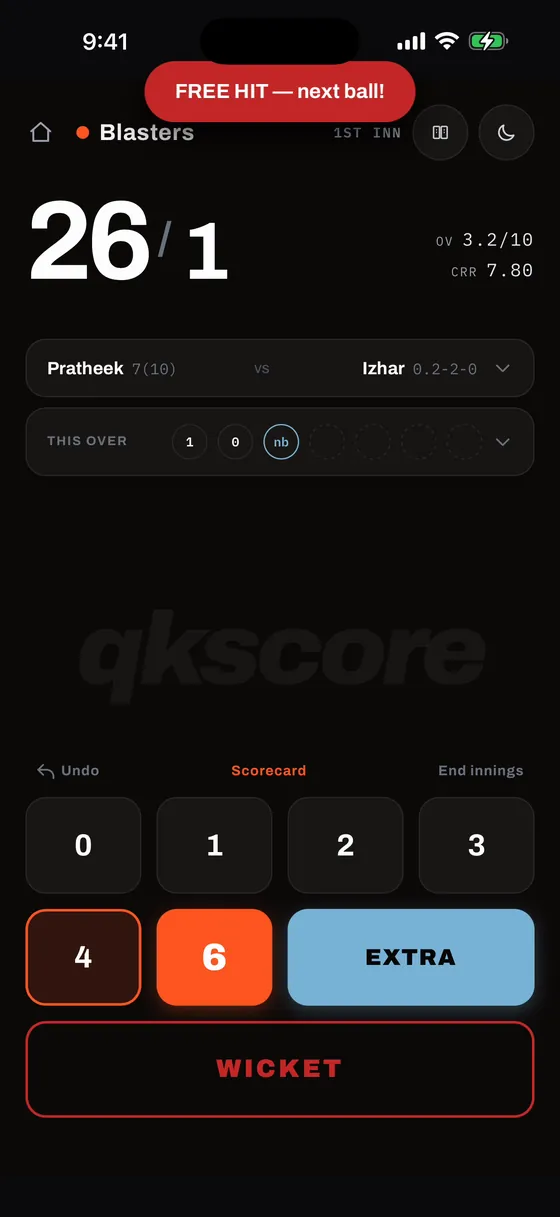
The free hit carries across any wides that follow and clears once a legal ball is bowled. While it stands, the batter can be dismissed by Run Out or Obstructing the Field only, matching the Laws.
Player Swaps & Mid-Match Substitutions
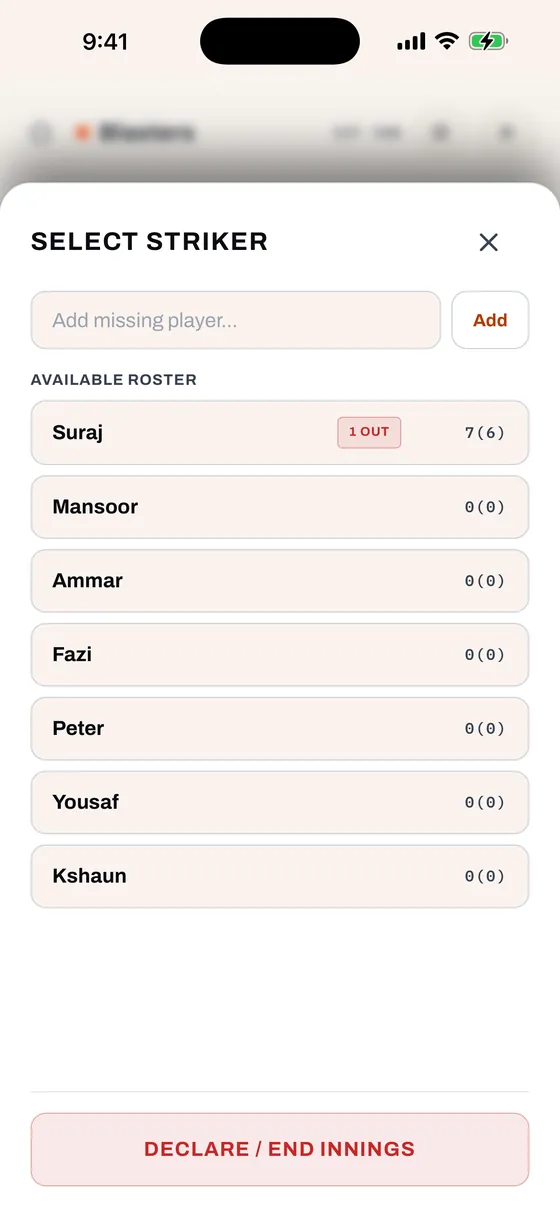
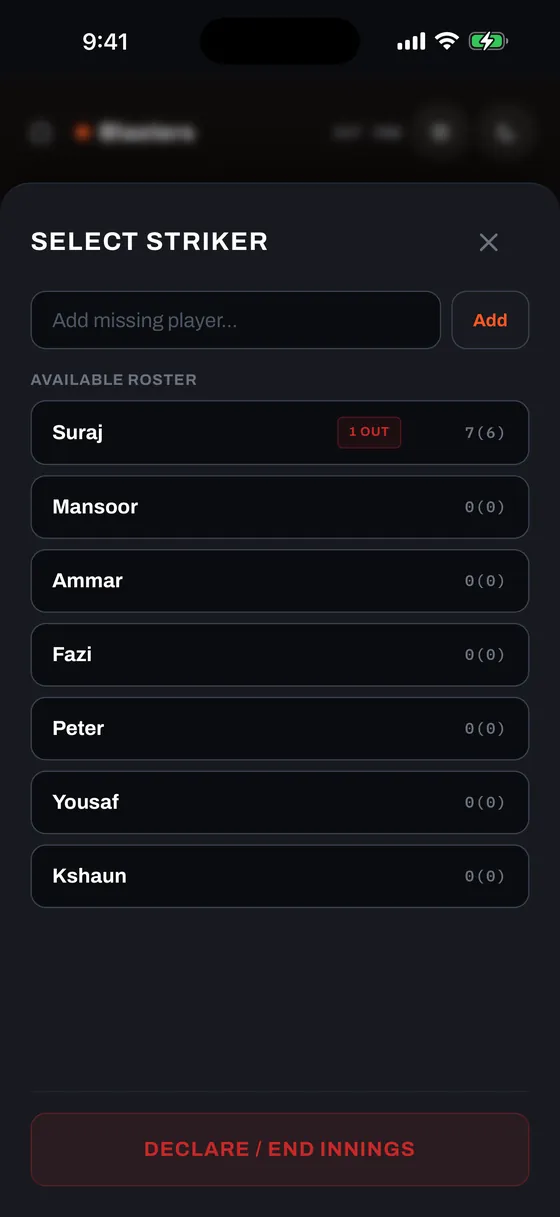
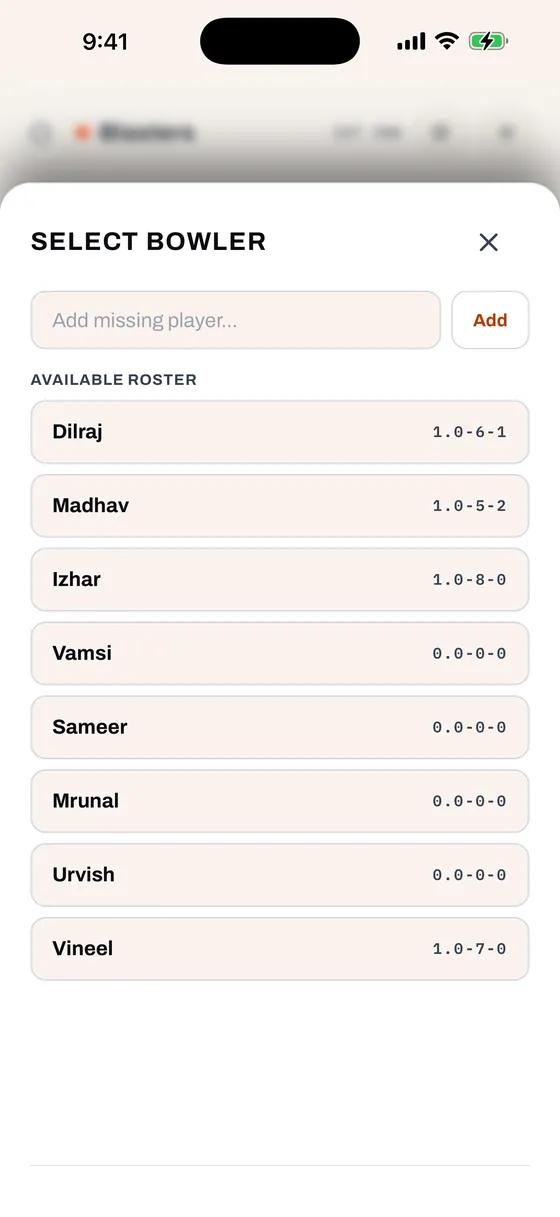
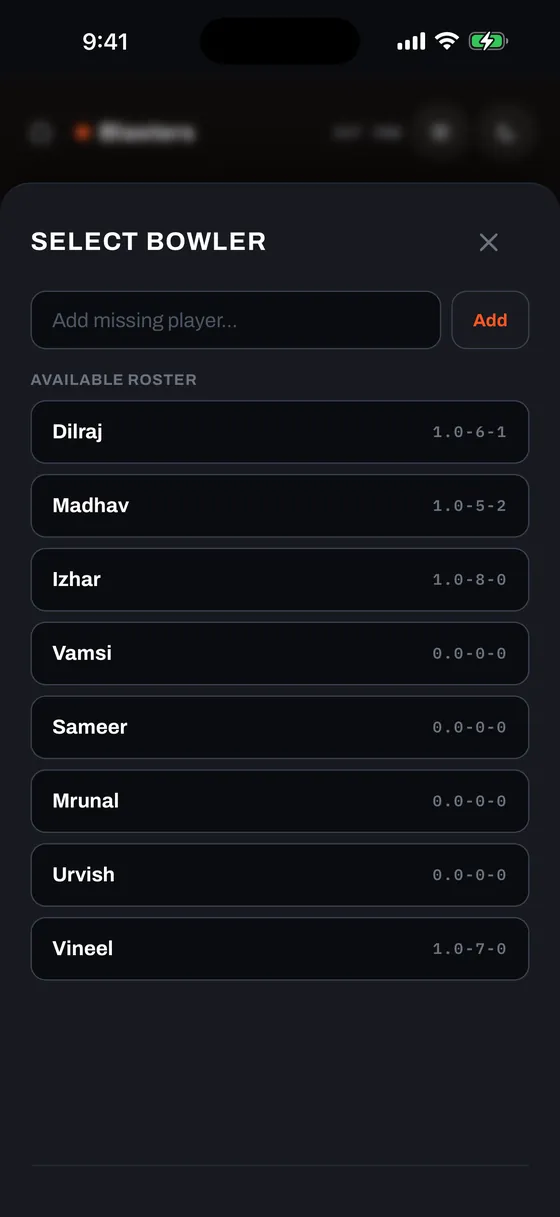
Pickup cricket is dynamic. Friends arrive late, leave early, or swap roles. Tap any player's name in the summary bar to open the replacement sheet.
Inject Missing Players On the Fly
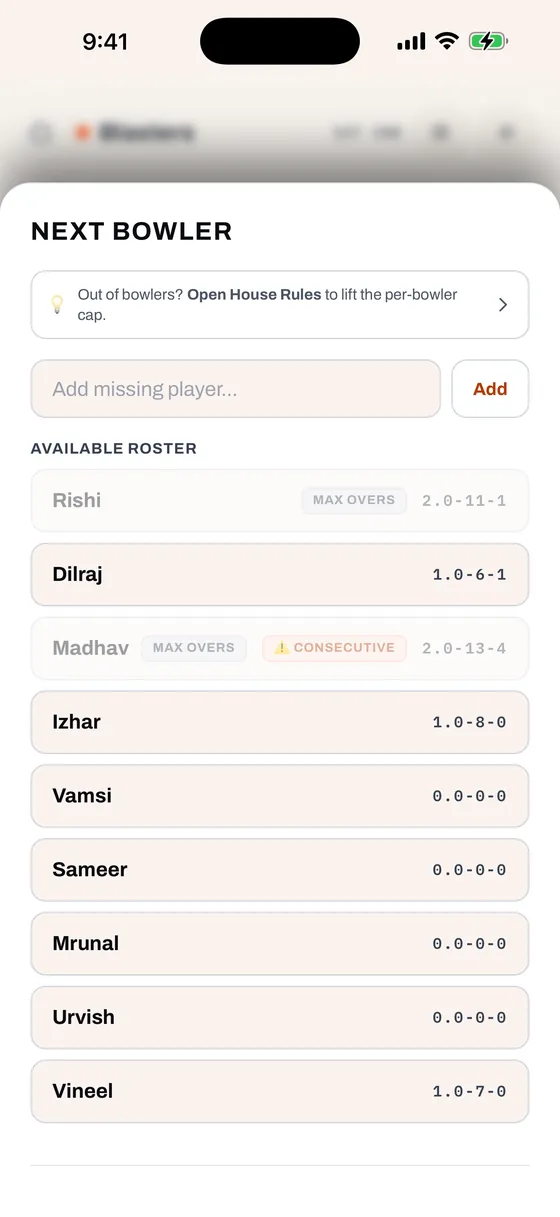
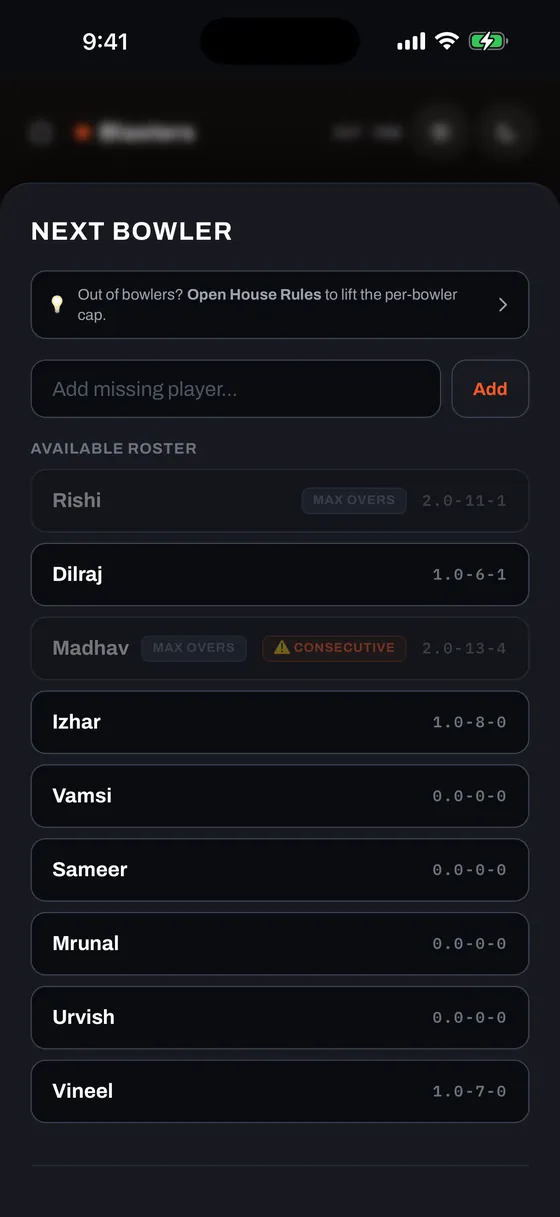
Friend just arrived at the park? Type their name into the "Add missing player…" input at the top and tap Add. They are instantly added to the team roster and selected, with zero configuration screens. If that name is already on the team, qkscore says so first: Continue adds a second player, numbered (Dilraj 2), with their own figures, and Update leaves what you typed in the box so you can correct it.
If you select the bowler who just completed the previous over, qkscore flags them with a yellow "⚠️ Consecutive" badge. You can still confirm them — pickup rules are flexible — but the app ensures it is an intentional choice.
When a Bowler Has Used Their Overs
Minimum Bowlers per Innings works out a cap for each bowler — five bowlers across ten overs comes to two overs each. A bowler who has reached it stays in the list, greyed out, with a "Max overs" badge, so you can see at a glance why they are unavailable.
Finishing someone else's over spends one of your own. A bowler who sent down one full over and then three balls of another has used two of their allowance.
Whenever anyone in the list is capped, a hint appears at the top of the picker, and the hint itself is a button: 💡 Out of bowlers? Open House Rules to lift the per-bowler cap. Tapping it opens House Rules, and tapping Done brings the picker straight back, re-checked against whatever you changed. Leave the rules alone and the picker returns exactly as you left it.
If every bowler in the list is capped, the hint escalates: it turns orange and names both ways out — ⚠️ Every bowler has used their overs. Open House Rules to lift the cap — or add a player. Switching Unlimited Overs on clears the cap for the rest of the match, and adding someone through "Add missing player…" gives you a bowler with a full allowance.
Mistaken Identity Recovery (Batters)
Scored several balls to the wrong batter? Tap the batter's name, choose the replacement player from the roster, and select your replacement handling:
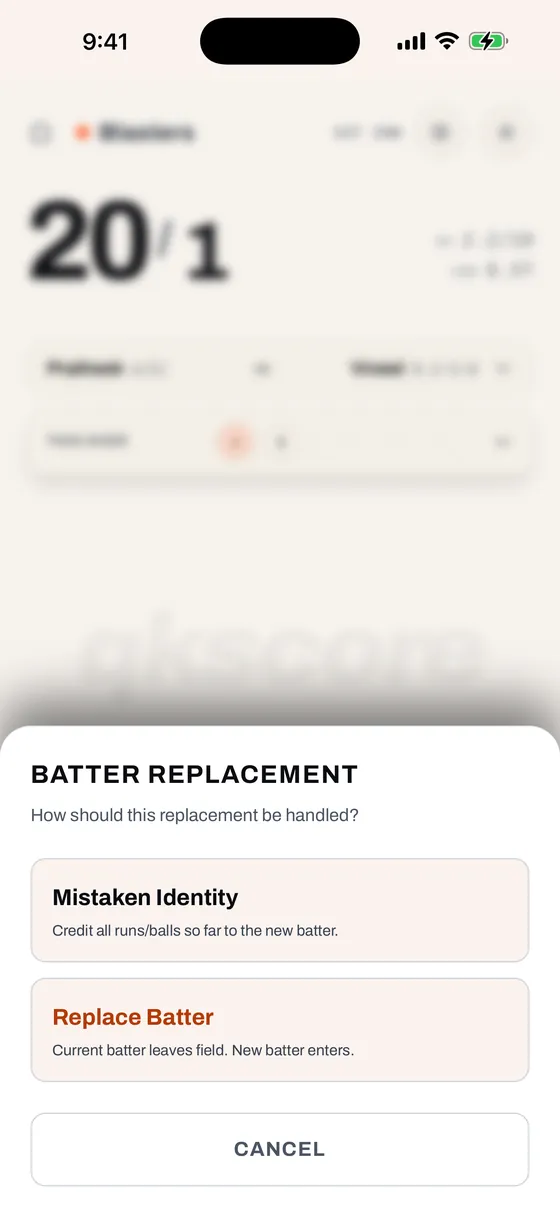
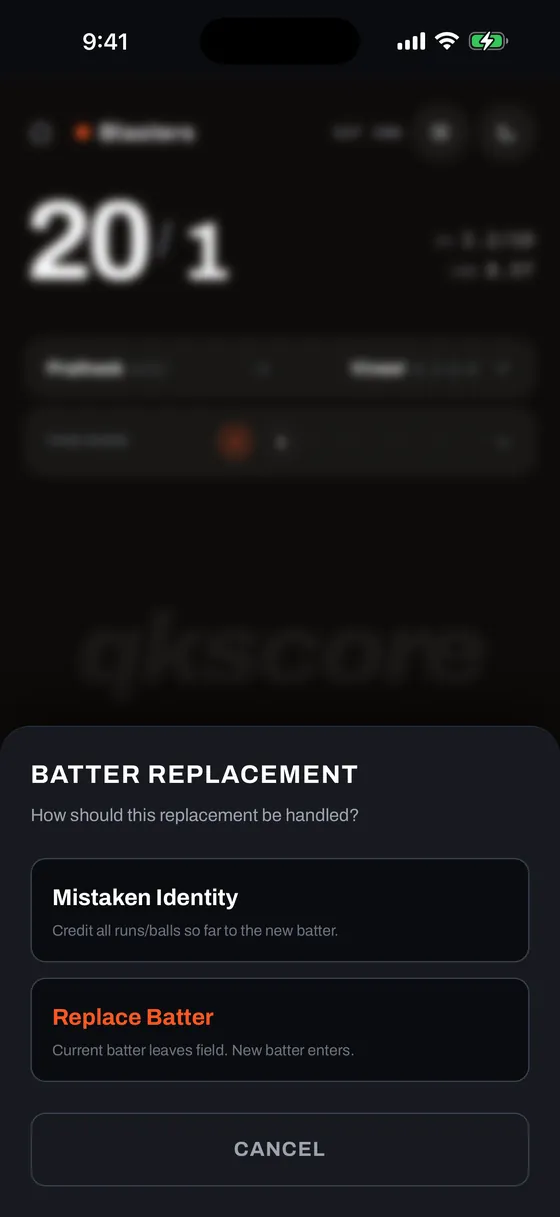
- Mistaken Identity — Retroactively reassigns all balls faced and runs scored so far to the new batter. Perfect when you realize you had the wrong person on strike earlier in the innings.
- Replace Batter — Handles mid-innings retirements (Retired Hurt, Not Out, or Retired Out) while preserving the outgoing batter's stats and starting the new batter from scratch for future balls.
Mid-Over Bowler Swaps
A bowler can also be replaced mid-over — whether due to an injury, fatigue, or tactical adjustment. Tap the bowler's name during an active over, pick the new bowler, and select how the swap should be recorded:
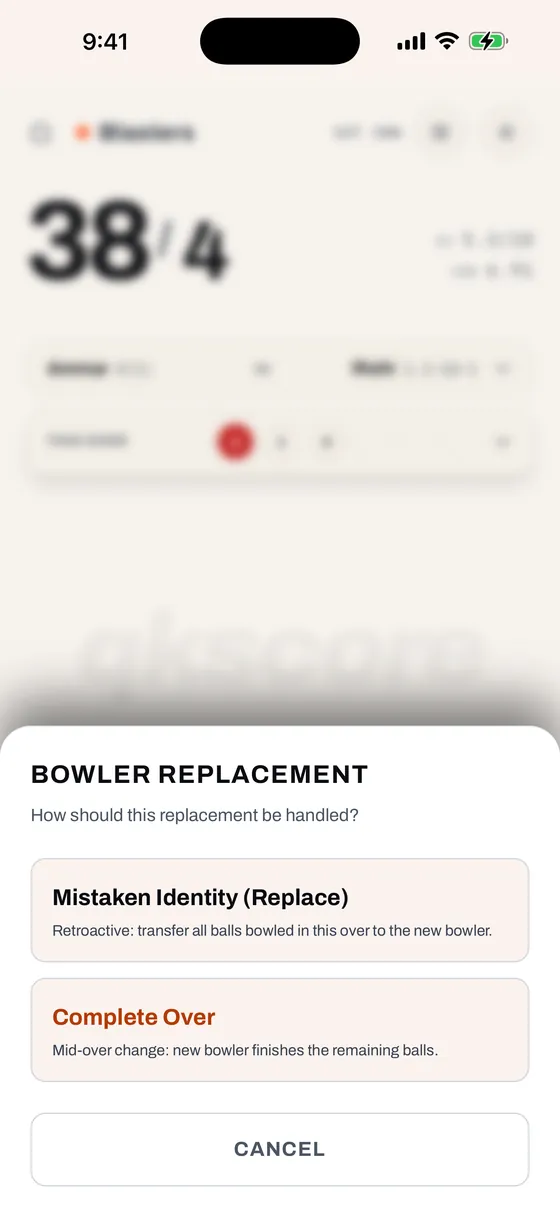
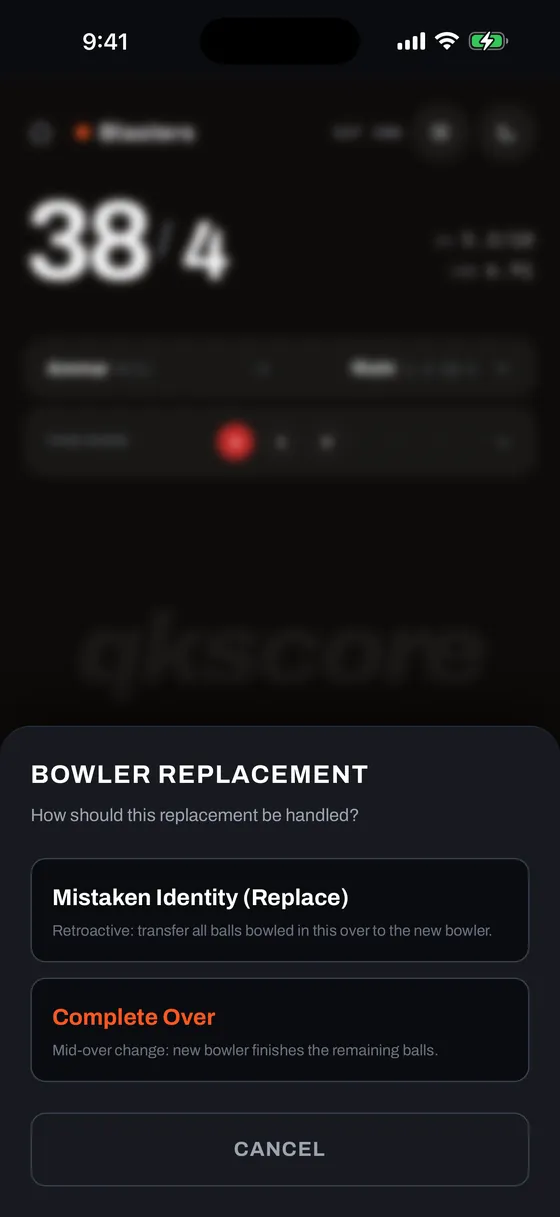
- Mistaken Identity (Replace) — Retroactively transfers all balls, runs conceded, and wickets in the current over to the new bowler.
- Complete Over — The outgoing bowler retains their stats for deliveries bowled so far, and the new bowler steps in to bowl only the remaining balls of the over.
Innings Break
When the first innings finishes (overs exhausted, all out, or manual declaration), the Innings Break screen establishes the chase.
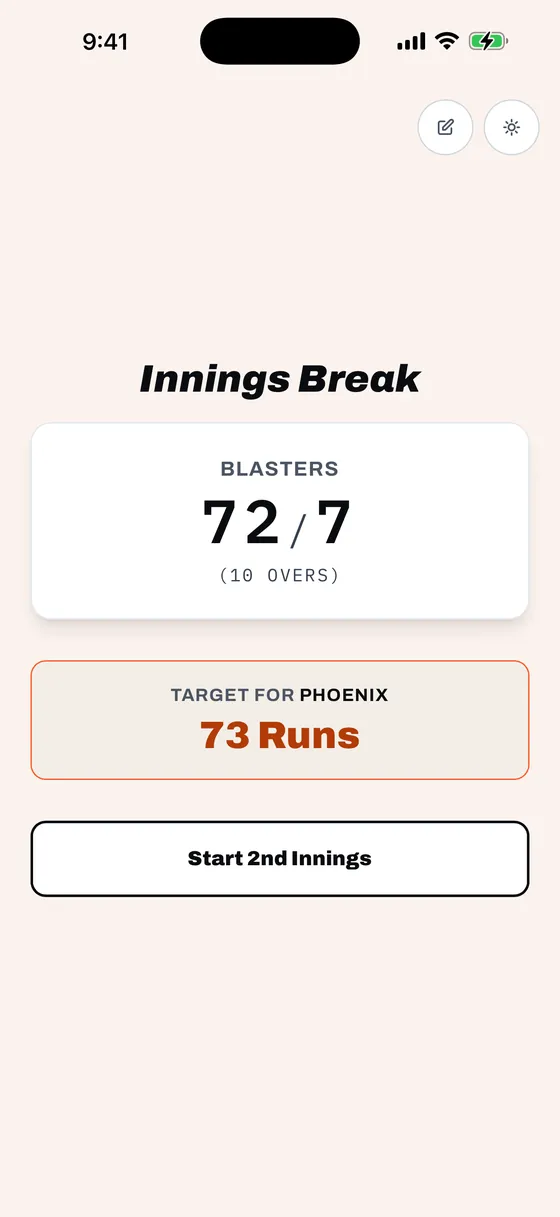
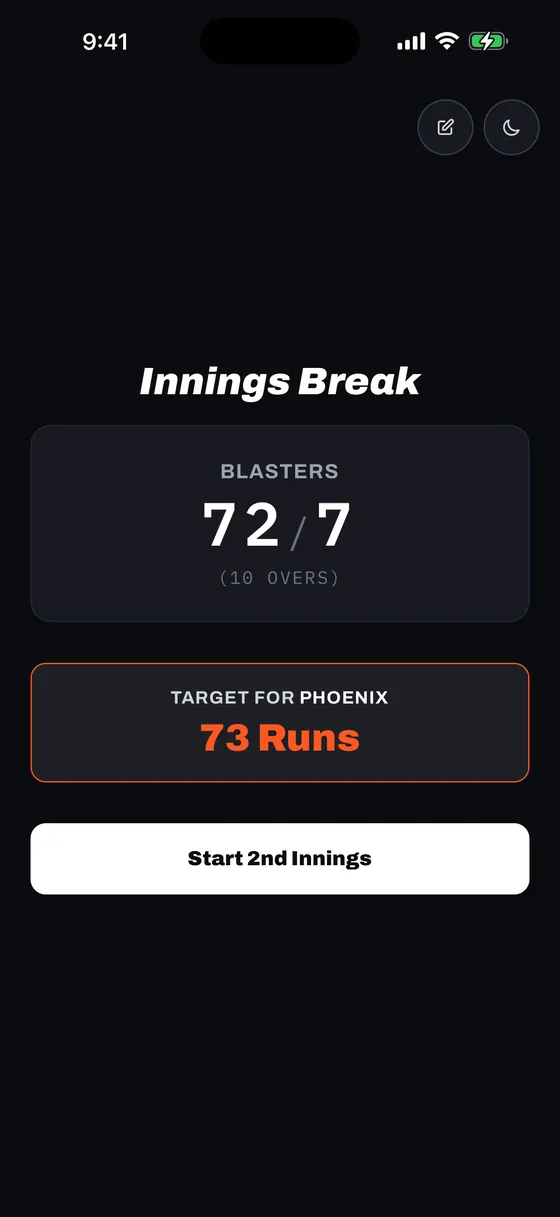
The target is automatically calculated as 1st innings total + 1. Tap Start 2nd Innings to choose opening batters and bowler and begin the chase.
Back to the First Innings
Ended the innings early, or want another look at that last ball? Tap the ✏️ edit icon in the top-right corner to drop straight back into live scoring for the first innings, with the score exactly as you left it.
This is a plain trip back to the scoring screen, so every ball you have recorded stays recorded — handy when you called the innings early and the batters fancy a few more overs. If the innings ended on a mis-tap instead, the scoring screen's own Undo button is right there to walk it back.
Match Complete & Safety Confirmations
A winning boundary or final wicket brings the match to a close with safety nets to prevent mis-taps.
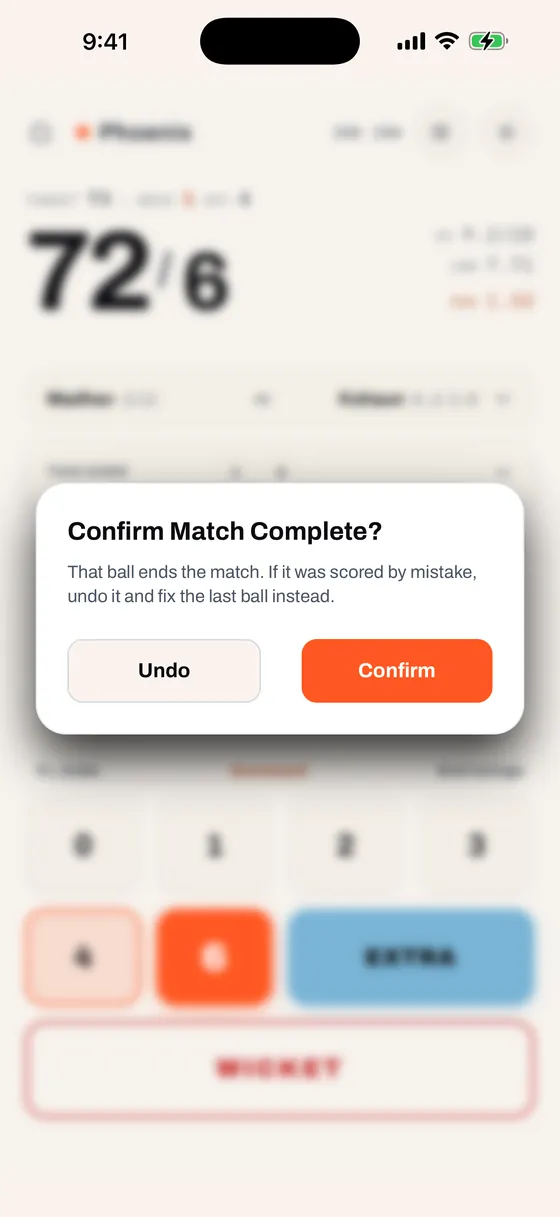
Safety Confirmation Modal
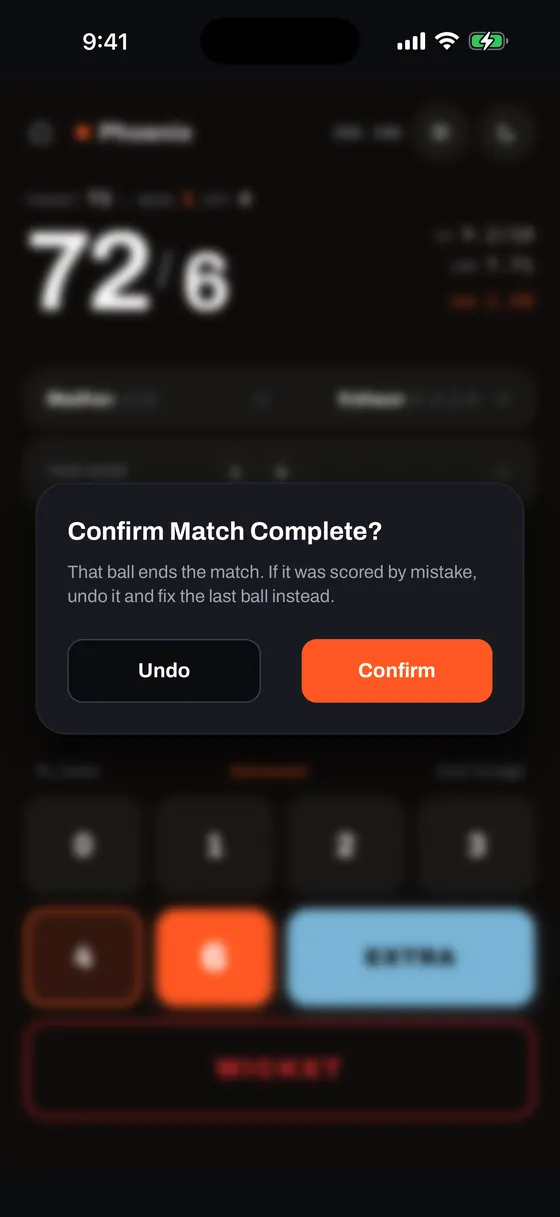
When a ball reaches the target or concludes the match, qkscore presents a confirmation modal: "That ball ends the match. If it was scored by mistake, undo it and fix the last ball instead." Tap Undo to return to the active HUD, or Confirm to finalize the result.
Match Over Screen & Edit Recovery
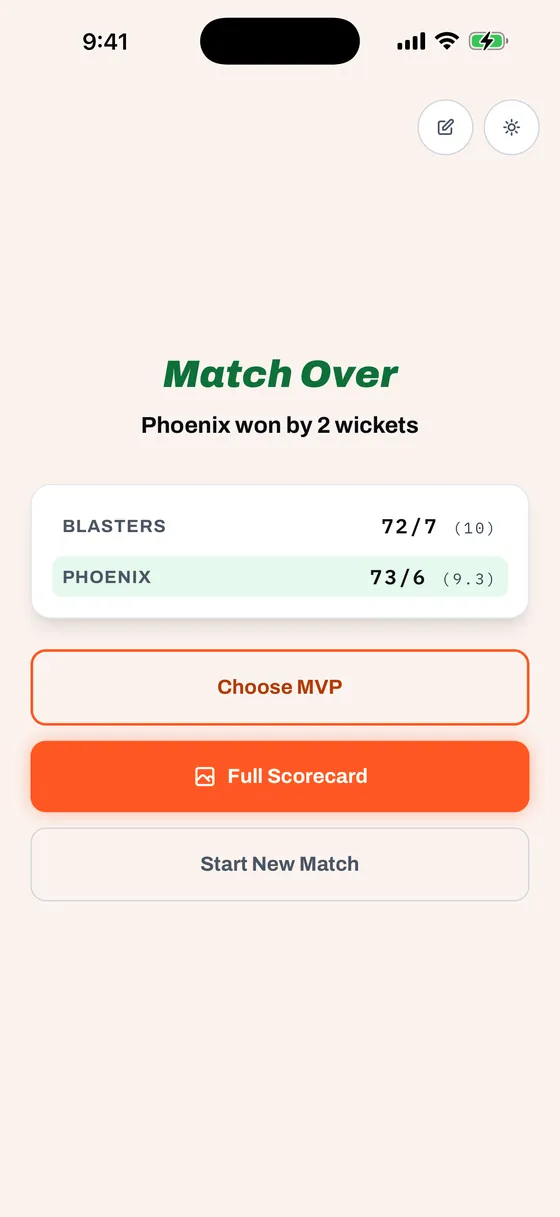
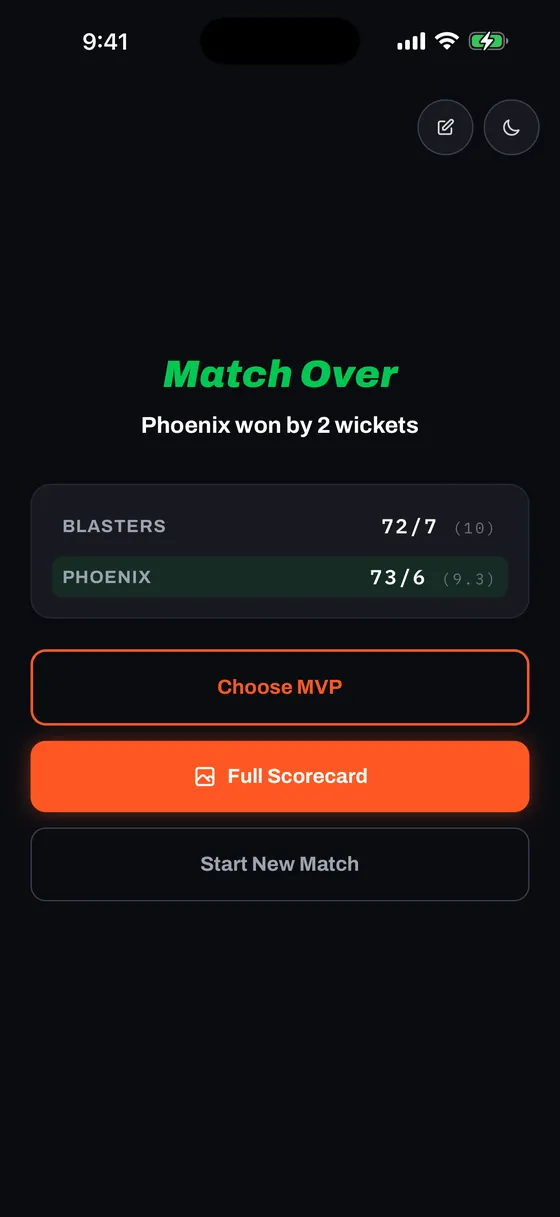
- Winning Team Row — Highlighted with a bright green victory badge for quick scanning.
- ✏️ Edit Recovery Button — Tapped confirm too fast? Tap the pencil icon in the top header of the Match Over screen to instantly undo the final ball and return to active live scoring without losing match state.
- Choose MVP — Hand-pick standout performers or allow qkscore to compute algorithmic MVPs automatically.
- Full Scorecard — Inspect detailed batting, bowling, and partnership figures.
- Start New Match — Advances directly to setup for the next game.
Super Over
When the scores finish level, qkscore offers to play the match out: one over a side, as many super overs as it takes. Any tie qualifies — the overs running out, a side all out, or an innings you ended by hand.
The Offer
The ball that levels the scores raises "Scores level" in place of the usual match-complete check, with three ways on: Super Over, Finish level to record the tie as the result, and Undo if that last ball was scored wrong.
Setting It Up
- Batting first — Defaults to the side that chased, and can be switched before the over starts.
- Striker, non-striker and bowler — Picked the same way as the opening players. A third batter comes in if a wicket falls.
- Marked players — Anyone who batted or bowled in an earlier super over carries an SO1, SO2 mark in the pickers. They can still be chosen, which matters when the side is only nine deep.
Scoring the Over
The keypad, extras and wicket flows are the ones you already use. The header reads SUPER OVER 1, the figure on the right counts balls out of six, and the line above the score shows the wickets left. The over ends at six legal balls or two wickets, whichever comes first, and House Rules carry over from the match, so wides and no-balls behave exactly as they did all game.
Between the two overs, a break screen shows what the first side made and the target that follows. The chase then shows what is needed, off how many balls.
Tied Again
A tied super over offers the next one, and the one after that, with no limit. Each is numbered, and each appears in its own section of the full scorecard and in the shared report. Super over runs and wickets stay out of a player's match figures and out of the MVP calculation.
Ways Back
- Undo on the keypad — Walks back ball by ball inside the super over.
- Undo on each prompt — Sits beside the choice on the "Scores level" and tied-super-over prompts, and returns to the over a ball earlier.
- ✏️ Edit on the break screen — Goes back into the over on the ball just bowled, undoing nothing.
- ✏️ Edit on Match Over — Undoes the ball that settled the match and returns to the super over.
Closing the app mid-super-over is safe: Resume Match brings back the same over, on the same ball, or the break screen if that is where it stood.
MVP Selection
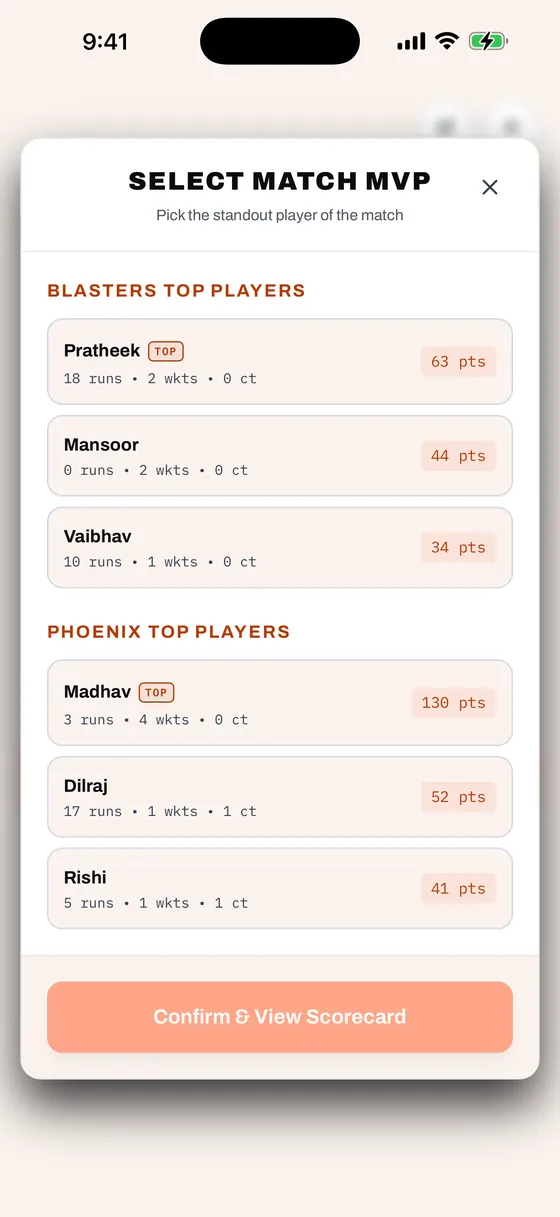
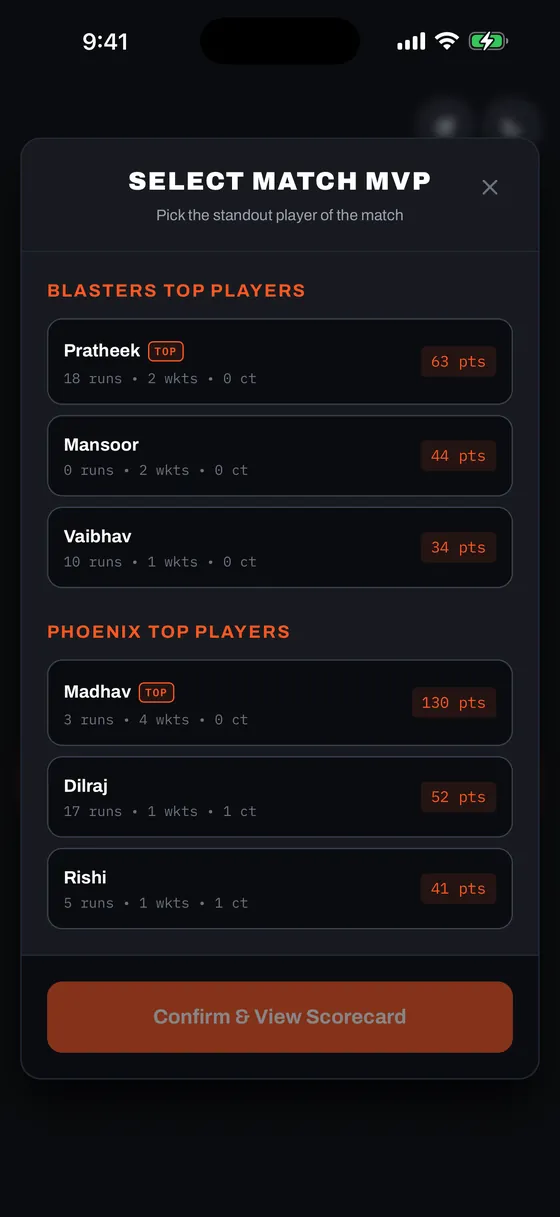
Tap Choose MVP on the Match Complete screen whenever you want to honor standout players. It is entirely opt-in — if skipped, qkscore's weighted formula automatically identifies each team's top performer.
How MVP Points Are Calculated
| Performance Metric | Points Awarded |
|---|---|
| Each run scored | +1 pt |
| Every 40 runs milestone | +10 pts bonus |
| Each wicket taken | +20 pts |
| Each dot ball bowled | +1 pt |
| Each catch / run out contribution | +10 pts |
| Extras conceded (bowler) | −0.25 pts |
| Haul bonus (taking ≥ 50% of opponent wickets) | +40 pts bonus |
Two-Step Selection Flow
- Step 1 — Match MVP: Pick the overall standout player from either team.
- Step 2 — Other Team MVP: The screen updates to display candidates from the other team. Select their best player. Tap ‹ Change Match MVP if you wish to adjust your first pick.
- Tap Confirm & View Scorecard to apply the selections to your match export.
Scorecards, Instagram Story & Social Sharing
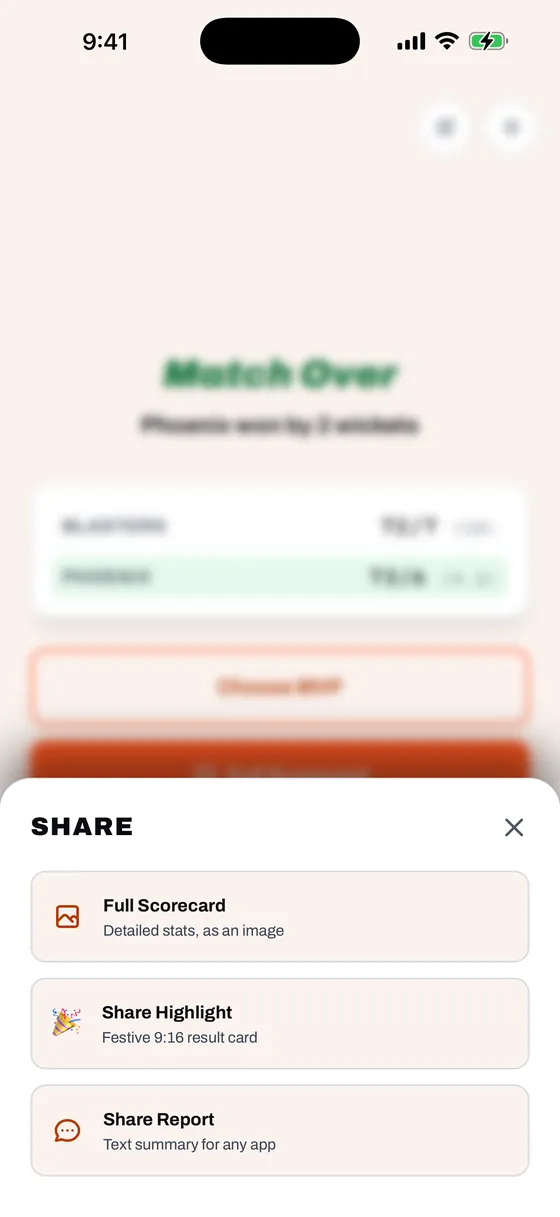
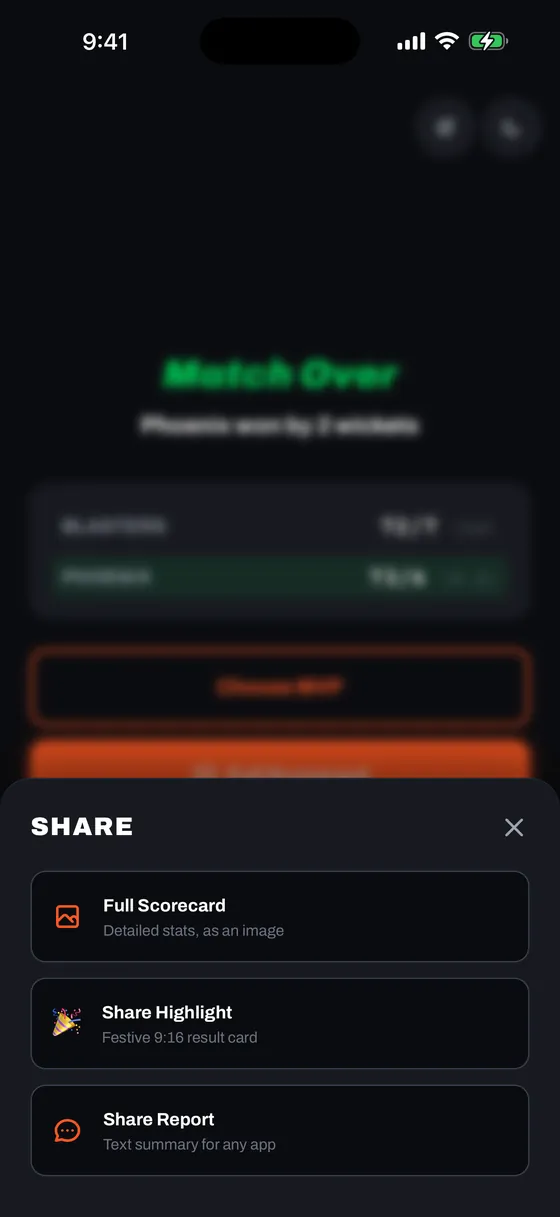
Share match bragging rights with your group chat or on social media in multiple formats:
Export Options
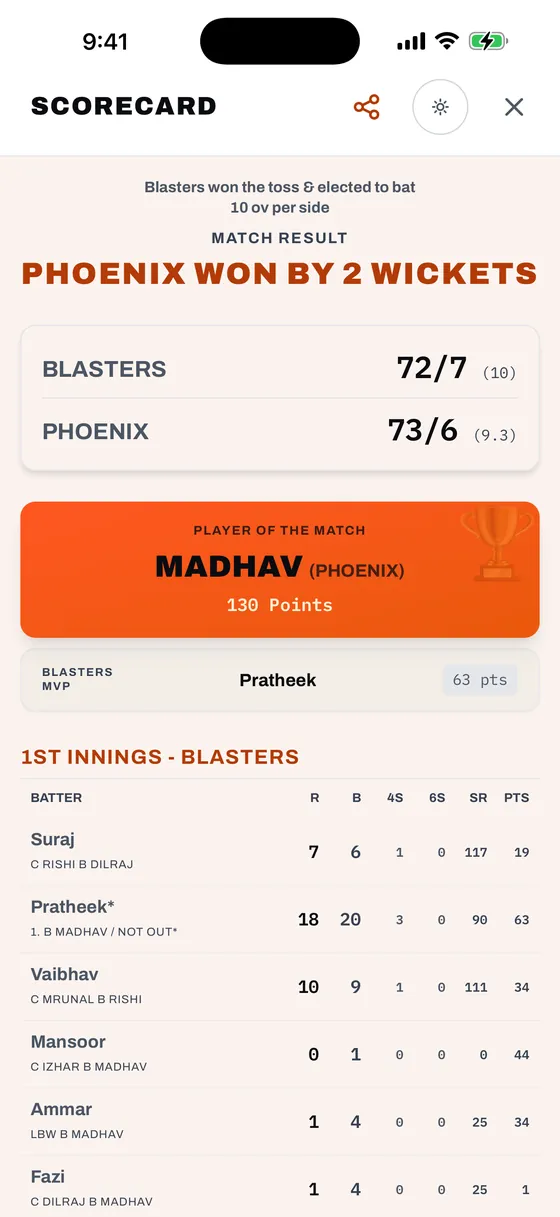
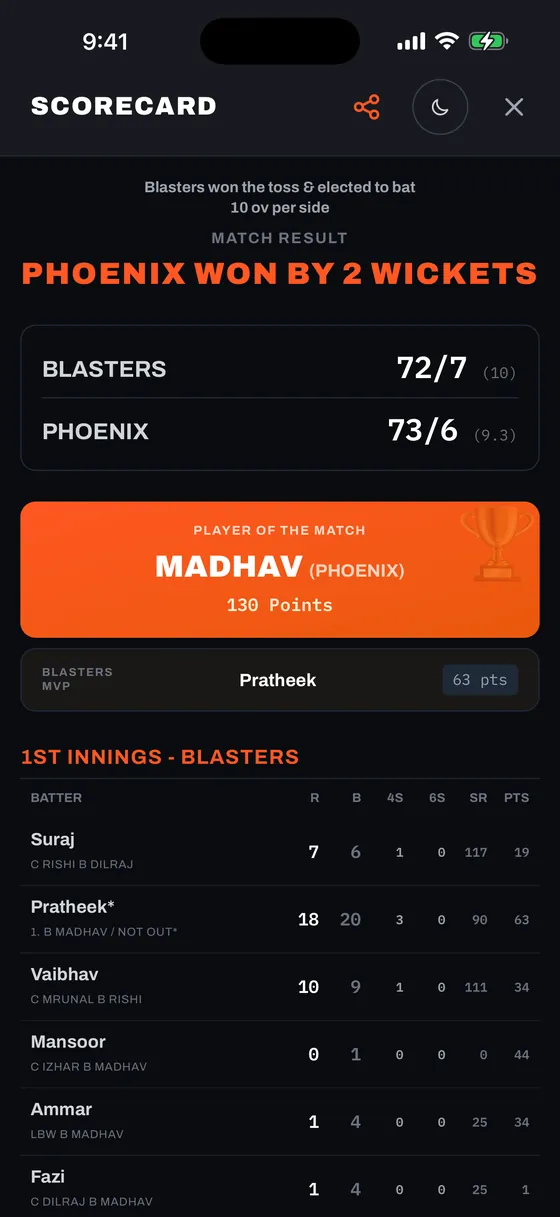
- 🖼️ Full Scorecard — Sends a finished match to your native share sheet as six images at once: the batting and bowling tables for each innings, the Share Highlight card, and a text-summary card with the result and top performers. Each table page carries the teams and result at the top, so it reads on its own wherever it lands in a chat, and the boundary columns (4s, 6s), bowler dot balls (•), Fall of Wickets (FOW) and Did Not Bat (DNB) lines stay sharp and easy to swipe through in WhatsApp, Messages, and group chats.
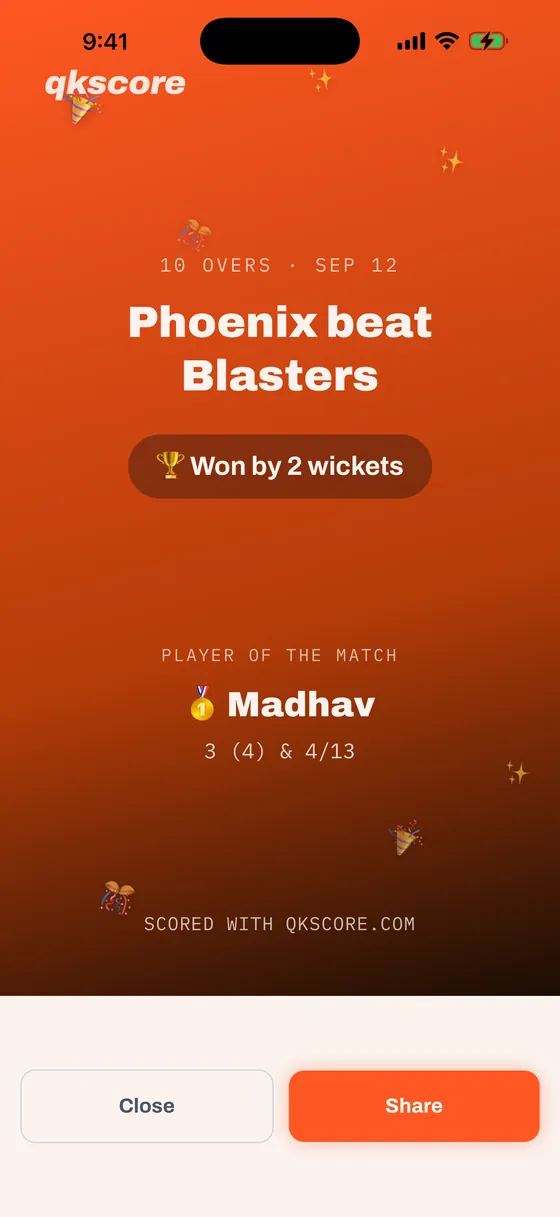
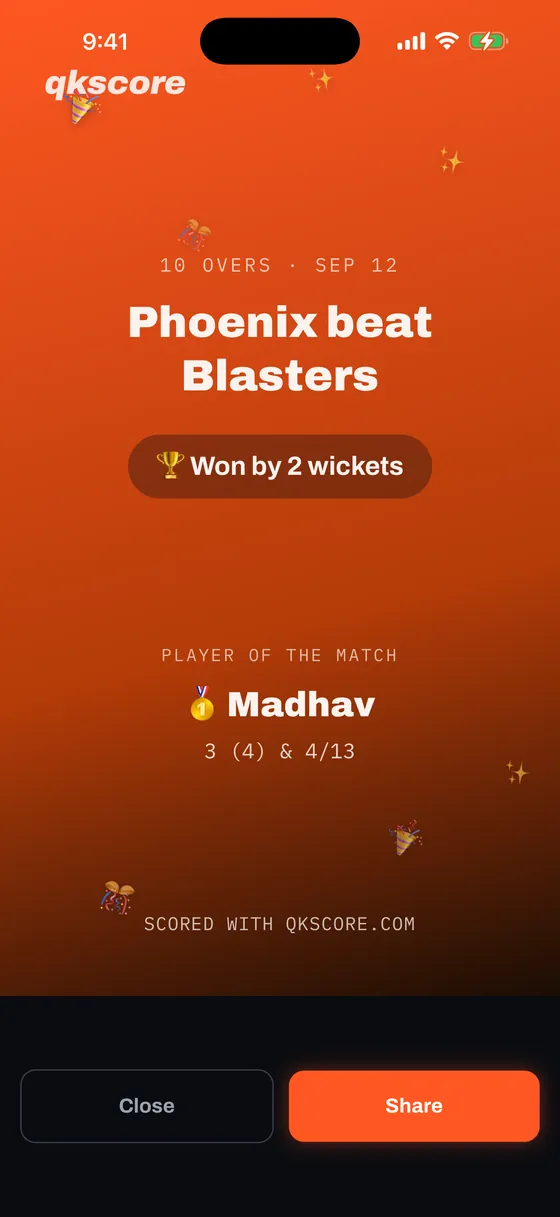
- 🎉 Share Highlight (9:16 Story Card) — Beautiful vertical match graphic with celebratory confetti, scores, winner banner, and Player of the Match honors — formatted specifically for Instagram Stories, Snapchat, and WhatsApp Status.
- 💬 Share Report — A formatted plain-text match summary, ready to paste into WhatsApp, SMS, or any group chat.
Sharing integrates directly with your device's native sharing sheet (AirDrop, WhatsApp, Messages, Instagram, or Save Image) — fast, private, and requiring zero external server processing.
Accessibility
Scoring happens outdoors, often in glare, often one-handed, and often by whoever's next in the batting order rather than whoever has the best eyesight. These are the settings worth knowing about.
Larger Text
qkscore follows your phone's text-size setting — you don't change anything in the app. Set it once and every screen grows with it, up to double the default size.
- iPhone — Settings › Accessibility › Display & Text Size › Larger Text
- Android — Settings › Display › Font size
The scorecard grows too, including the small stat columns — the 4s, 6s, strike rate and points figures, and the dismissal lines under each batter. When the table gets wider than the screen it scrolls sideways rather than squeezing the columns into illegibility: swipe left across any row to bring the remaining figures into view.
Text stops growing at 2× so the scoring keypad stays on one screen — past that point, a scorer loses more from hunting for buttons than they gain from bigger digits. For anything larger, your phone's own magnifier works over qkscore like any other app: iPhone — Settings › Accessibility › Zoom (triple-tap to magnify); Android — Settings › Accessibility › Magnification.
Pinch to Zoom
Pinch to zoom in on any screen, and pinch back out to return. It's most useful on a full scorecard when you want to read one player's line closely. The scoring keys sit outside the zoom gesture, so a quick second tap on the same key is correctly read as scoring and does not trigger zoom.
Reading in Bright Sun
Tap the sun/moon icon in the header to cycle through three themes. Sunlight is the one to reach for at midday — it pushes contrast harder than ordinary light mode, for when the screen is washing out. The status bar clock and battery follow the theme, so they stay readable whichever you pick.
Tapping Accurately
Every button in qkscore is at least 44 points square — the size Apple and Google both recommend as the minimum a finger can hit reliably. Icon buttons stay that size no matter how large you set your text, so the controls never drift out from under your thumb as the type grows.
Going Back
On Android, the hardware back button moves back one step rather than closing the app. Mid-over it raises the same Leave scoring? prompt the home button does; while qkscore is waiting on you to pick the next batter or bowler, it does nothing at all, so a stray press can't drop you out of a live match. Only pressing back on the Home screen closes the app.
There's no accessibility menu inside qkscore, and deliberately so. Everything here reads your phone's existing settings, so it matches every other app you use rather than asking you to configure it twice.